Use cases / Schools and institutions
Refunds, stipends and supplier payments with a paper trail.
Pay teachers, refund fees and settle suppliers with the approvals your bursar and head already expect, and a record you can show the board.

Sound familiar?
Money leaving a school account needs more than one signature, and every payment needs an explanation later.
Signatures on paper, payments on a phone
The approval happens in a corridor, and the transfer happens later from someone's phone. The two are never joined up in one record.
Refunds and stipends pile up
Fee refunds, teacher allowances, part-time pay, canteen and supply invoices: many small payments to many people, all at the start of a term.
Audit season
When the auditor or the board asks who approved a payment and why, the answer takes days to assemble.
One person holds the keys
The bursar or accounts clerk is the only one who knows how it all works, and a payment cannot go out when they are away.
How it looks in practice
An example start of term
This is an illustration of how a school's accounts office might run its payments at the start of a term. It is not a real customer.
- 1Bursar
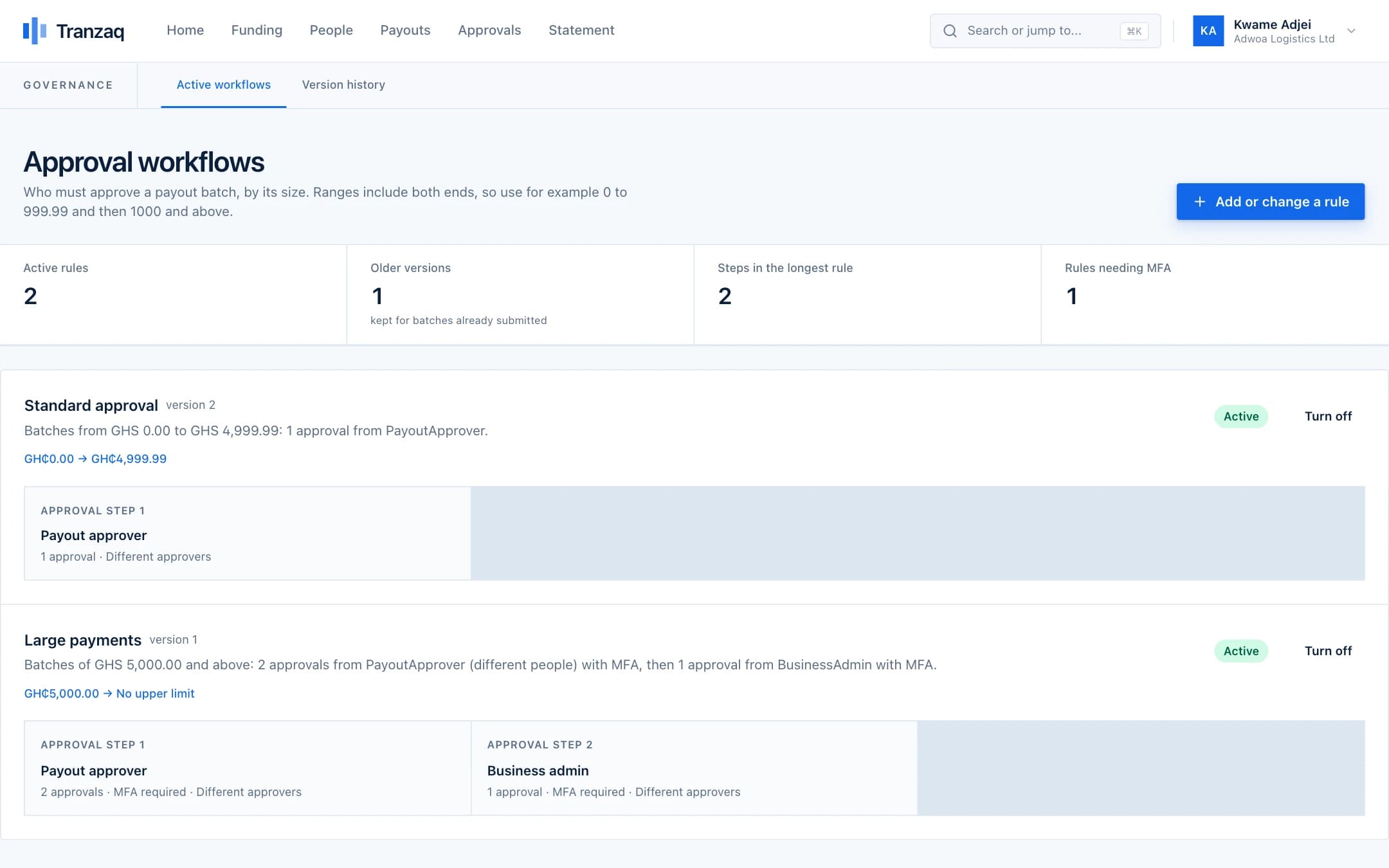
Set the rules once
Small payments need the bursar. Larger ones need the head as well, with a one-time code. The rules are written down in the system, not remembered.
- 2Accounts clerk
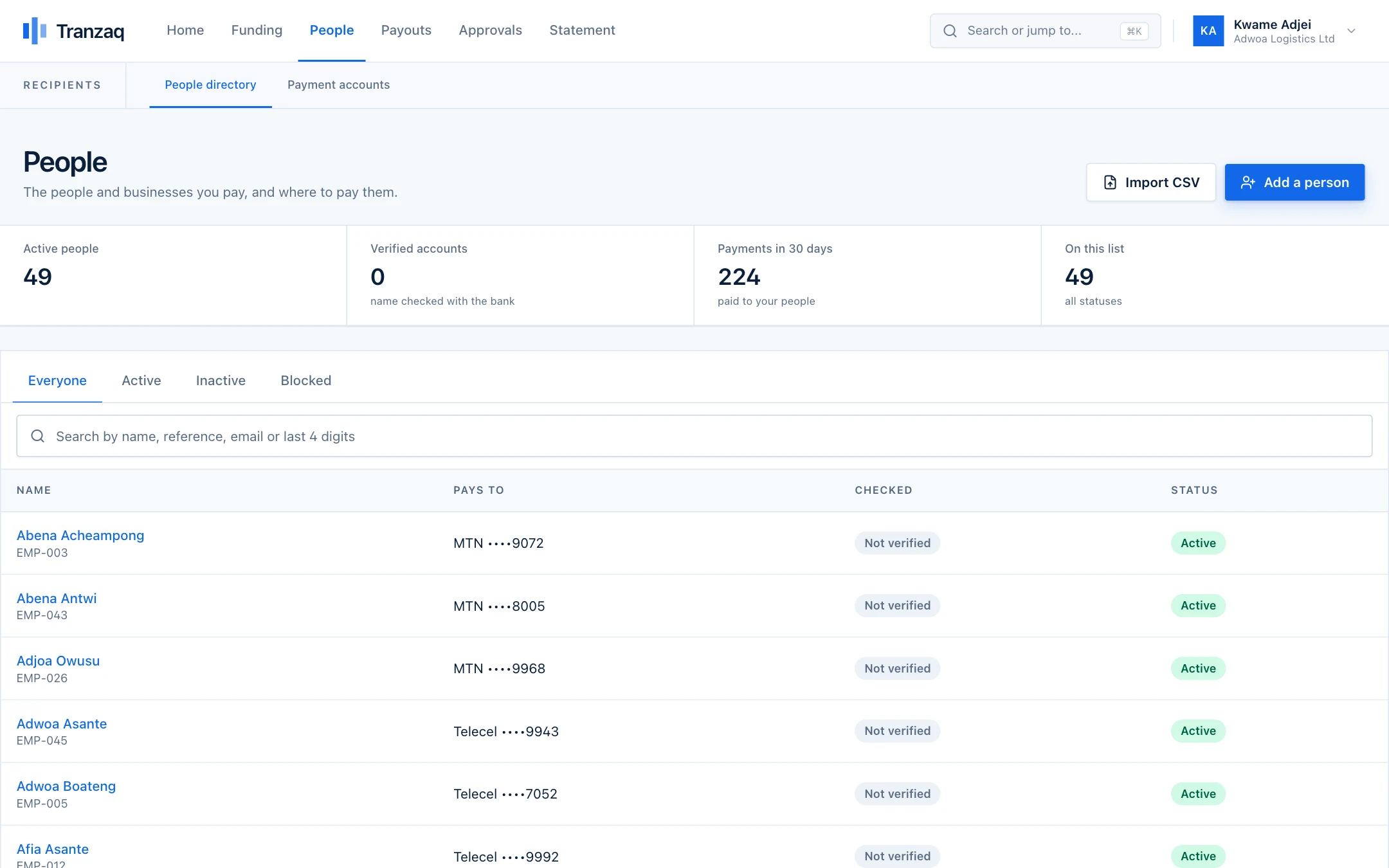
Register staff and suppliers
Teachers and suppliers are added as people with verified accounts, so everyone paid this term has a name that matches an account.
- 3Accounts clerk
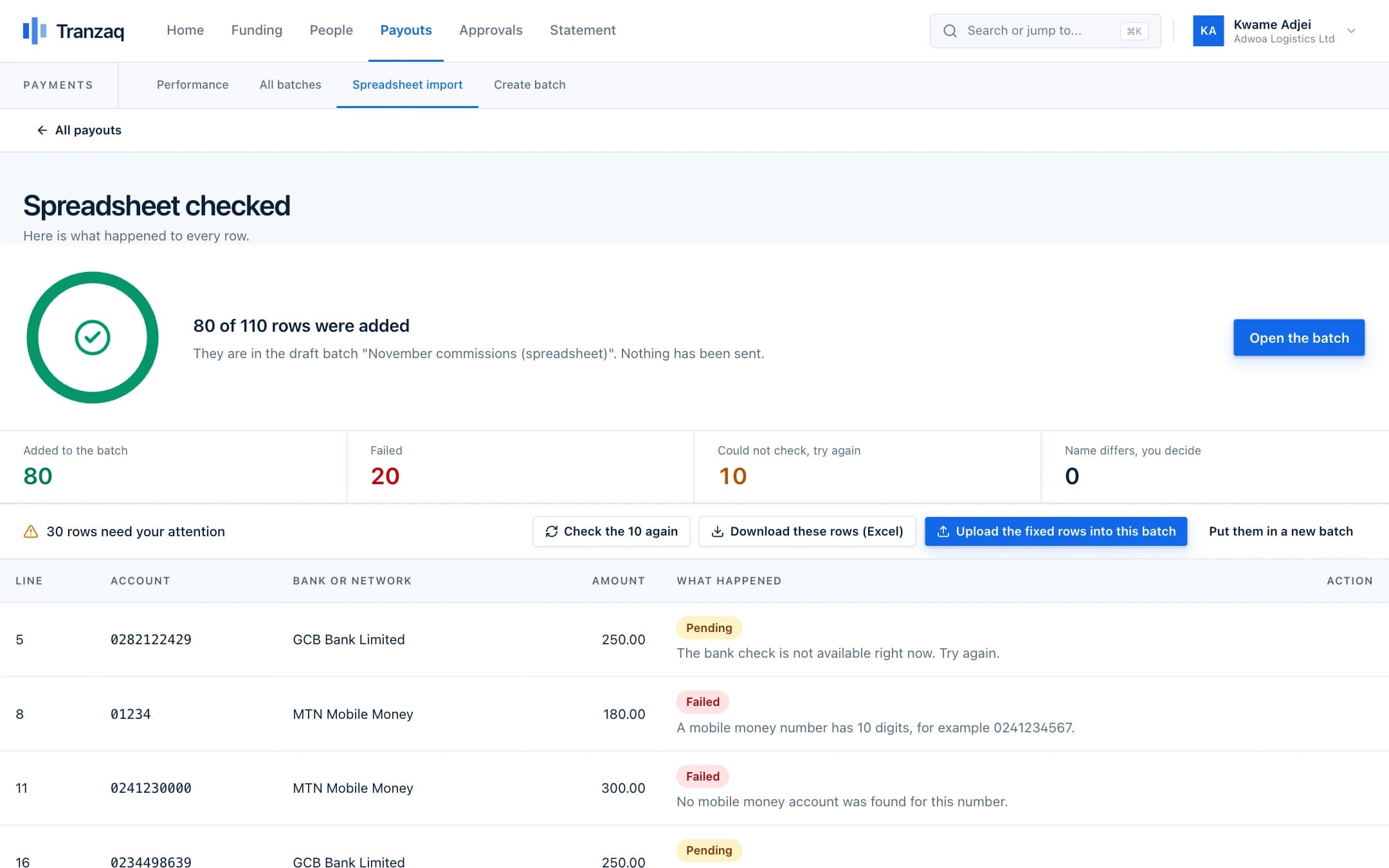
Upload from the records you already keep
Refunds, allowances and invoices go in as one sheet. Rows that fail come back with a reason, such as a wrong number, ready to fix.
- 4Bursar and head
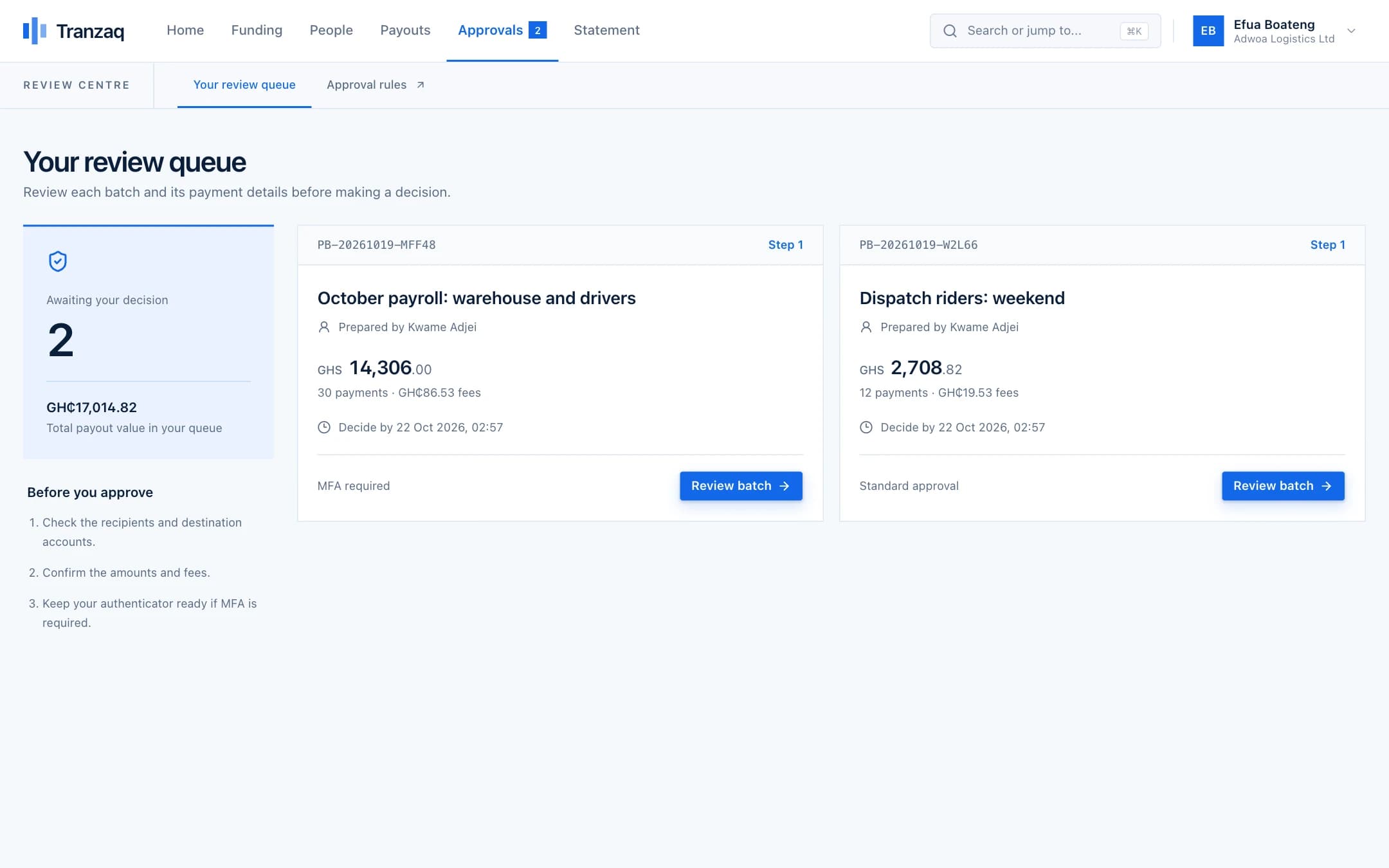
The right people sign off
The bursar reviews the batch. A large batch waits for the head too. Rejecting needs a written reason, which is kept.
- 5Bursar
Keep the record for the board
Every payment, approval and reason is stored. The statement can be downloaded for the board or the auditor.
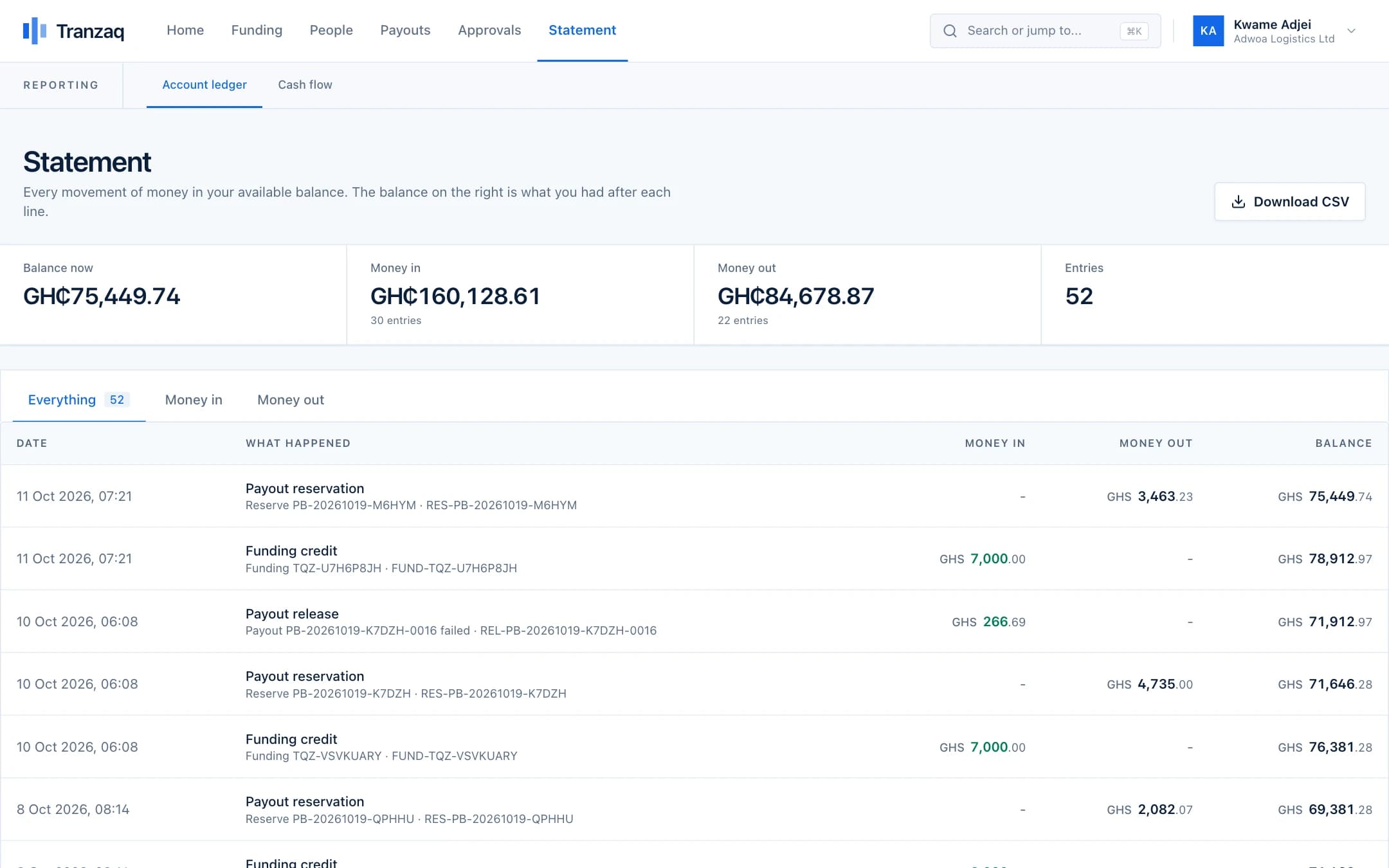
The people, figures and screens in this walkthrough are illustrations built from demo data. They are not real customers.
Before and after
What changes when payouts stop being a chore.
Who does what
Everyone has a clear part, and no one holds all the keys.
Roles decide who can prepare, who can approve and who can only look. You choose who has which.
Accounts clerk
Prepares batches from your sheets. Can never approve them.
Bursar
Approves day-to-day payments and manages the team and the rules.
Head teacher or principal
Second approver for large amounts, with a one-time code.
Board member or auditor
Can view payments and statements without any power to pay.
Built in, not bolted on
The protections that matter most for this.
These are part of how every payout works, not extras you switch on.
Two-person approval by amount
You decide the amounts where a second approver, and a one-time code, are needed.
A written reason to reject
A batch cannot be rejected without saying why, and the reason is kept with the decision.
Approvals that expire
A batch waiting too long is cancelled, so an old approval cannot be used by surprise.
Downloadable statements
Every cedi in and out, with a running balance, ready for the auditor.
Practical questions
What people ask before they start.
Something not covered here? Ask us, and we will answer plainly.
Can parents' refunds go to mobile money?
Yes. Refunds can go to mobile money or a bank account, in the same batch as other payments.
Can the head approve from anywhere?
Yes. Approvals happen in the web app, with a code from the approver's authenticator app where you require one.
What if a supplier's account details are wrong?
The name on the account is looked up. If it does not match, the row is held or refused with a reason, before any money moves.
Can an auditor see everything without being able to pay?
Yes. A view-only role can see payments and statements but cannot create or approve anything.
How do we start?
Create an account, add your team, set your rules, and try a batch in test mode. Going live follows a quick review of your institution.
Also on Tranzaq
The same flow, for other kinds of payout.
Payroll
Pay your whole team on the day, without a queue at the bank.
Learn moreMarketplaces and platforms
Pay sellers and drivers as the work gets done.
Learn moreNGOs and programmes
Get support to beneficiaries quickly, and prove it reached them.
Learn moreAgents and commissions
Pay your agents every week, accurately.
Learn moreGet started
Give your accounts office a record it can stand behind.
Set your approval rules, add your team and run a first batch in test mode.