Product / Bulk payouts
Upload a sheet. We check every account.
Download the Excel template, fill in phone or account numbers and amounts, and upload it. Tranzaq looks up the name on every account, builds the batch, and tells you what needs attention.

What you get
Bulk payouts, done properly.
An Excel template with dropdowns
Pick the bank or mobile money network from a list. No guessing codes, no typos in network names.
Every account is checked
We find the name behind each number before any money moves, and create the person with the verified name.
Progress you can watch
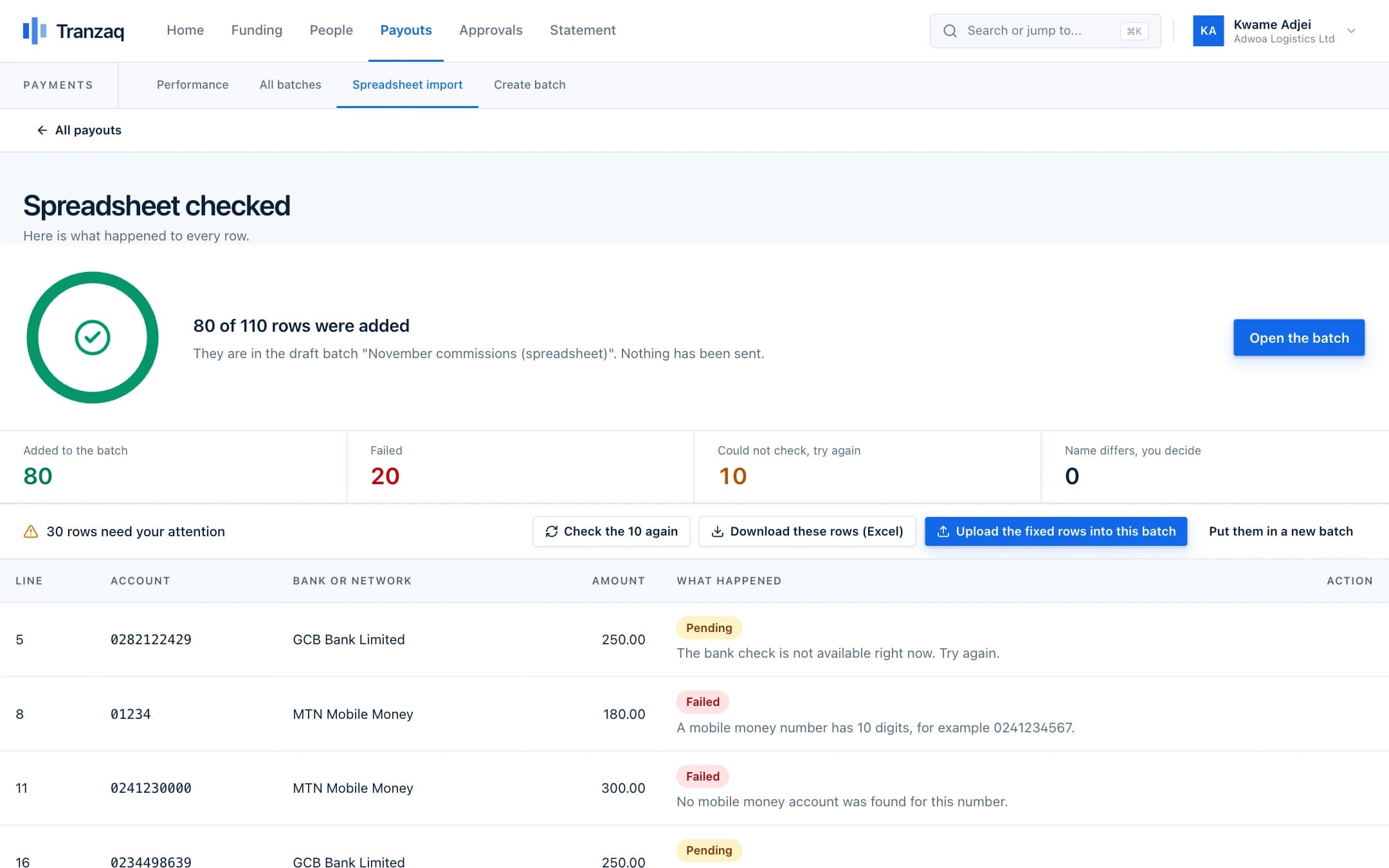
A progress page fills as rows are checked. Close it and come back later: the work continues on our side.
Fix only what failed
Download just the failed rows with the reason beside each, correct them, and upload them into the same batch or a new one.
Never pay twice by accident
The same account twice in a file, or already in the batch, is refused.
How it works
Three steps.
- 1
Download the template
It includes a dropdown of every bank and mobile network we support.
- 2
Upload your sheet
Choose a new batch or add to a draft. The rows are saved at once.
- 3
Review and submit
Good rows are in the draft batch. Failed rows come with reasons. Submit for approval when you are ready.
Good to know
- Up to 1,000 payments in one batch
- A partly matching name waits for a person to decide; a completely different name fails
- One bad row never blocks the rest of the file
Get started
Pay your people with confidence.
Create your business account and try everything in test mode today.