Bulk payouts for Ghana
Pay everyone who works for you, in one go.
Add money, upload a sheet, and Tranzaq checks every account, gets your team's approval, and sends mobile money and bank payments to hundreds of people at once. Traders, drivers, teachers, crews: everyone gets paid, and you can see exactly what happened.
Try everything in test mode today. Live payouts after a quick review of your business.


Mobile money and banks
MTN, Telecel, AirtelTigo and Ghana's banks, in one batch.
Names checked first
The account holder's name is looked up before money moves.
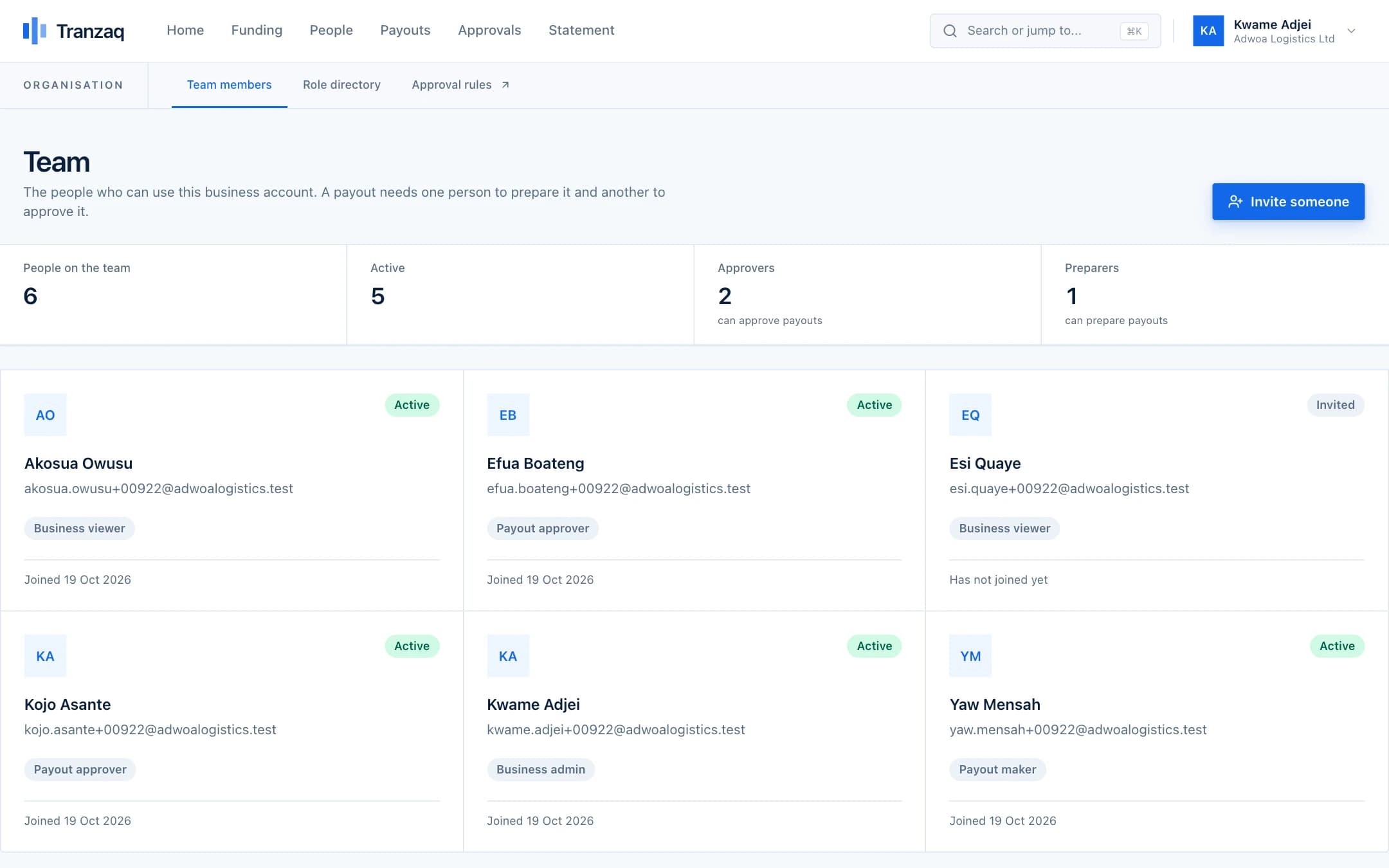
Two people, always
Whoever prepares a payout can never approve it.
Every payment explained
A status on each one, and a reason when something fails.
Who gets paid
The people behind every payout.
Salaries, commissions, refunds, supplier payments: the flow is the same for all of them.

Payroll
Pay your whole team on the day, without a queue at the bank.
Read more →
Marketplaces and platforms
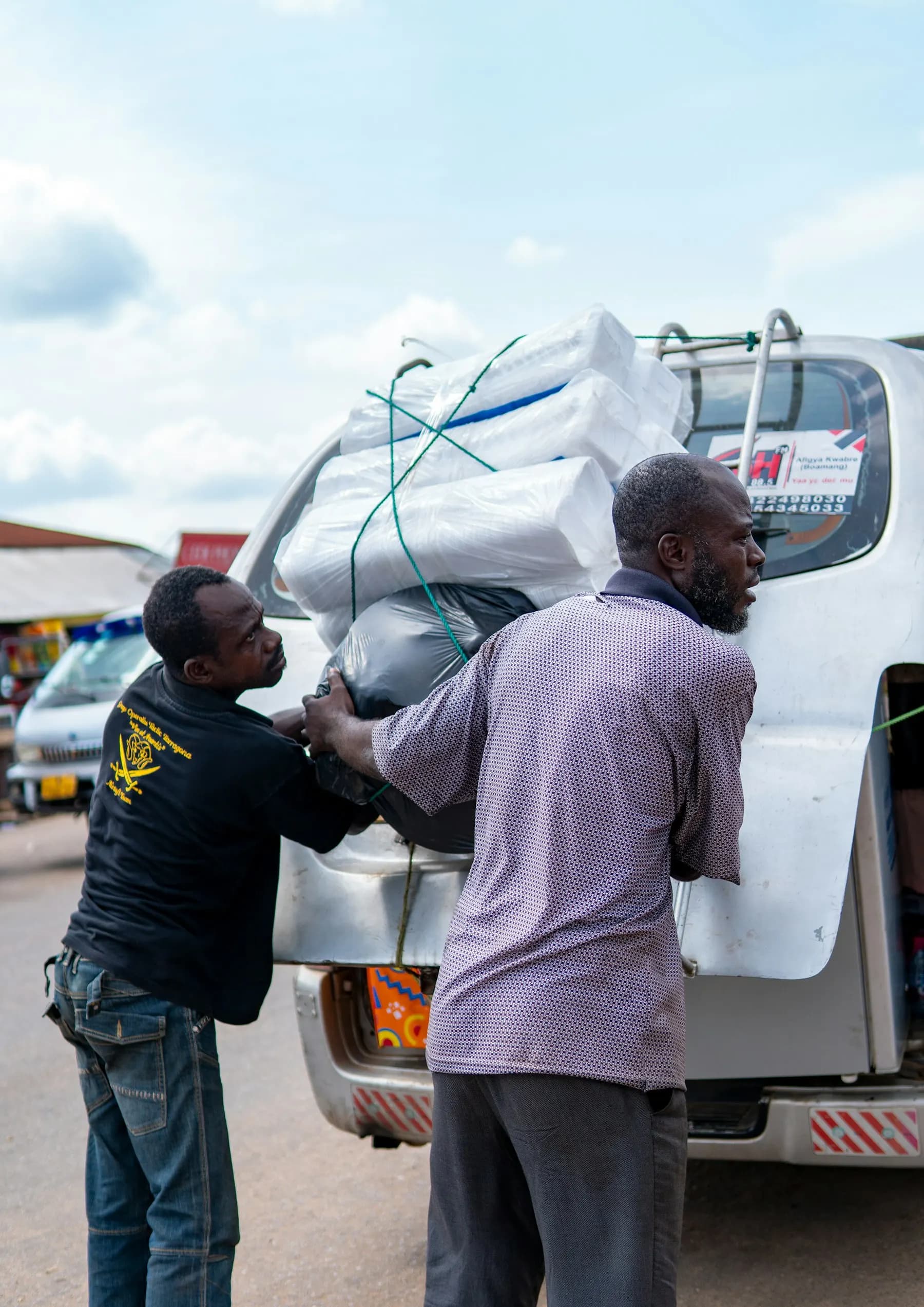
Pay sellers and drivers as the work gets done.
Read more →
Schools and institutions
Refunds, stipends and supplier payments with a paper trail.
Read more →
NGOs and programmes
Get support to beneficiaries quickly, and prove it reached them.
Read more →Agents and commissions
Pay your agents every week, accurately.
Read more →How it works
From balance to paid, in four steps.
No more paying people one by one from different apps. One flow, with checks at every point.

Built for how Ghana pays
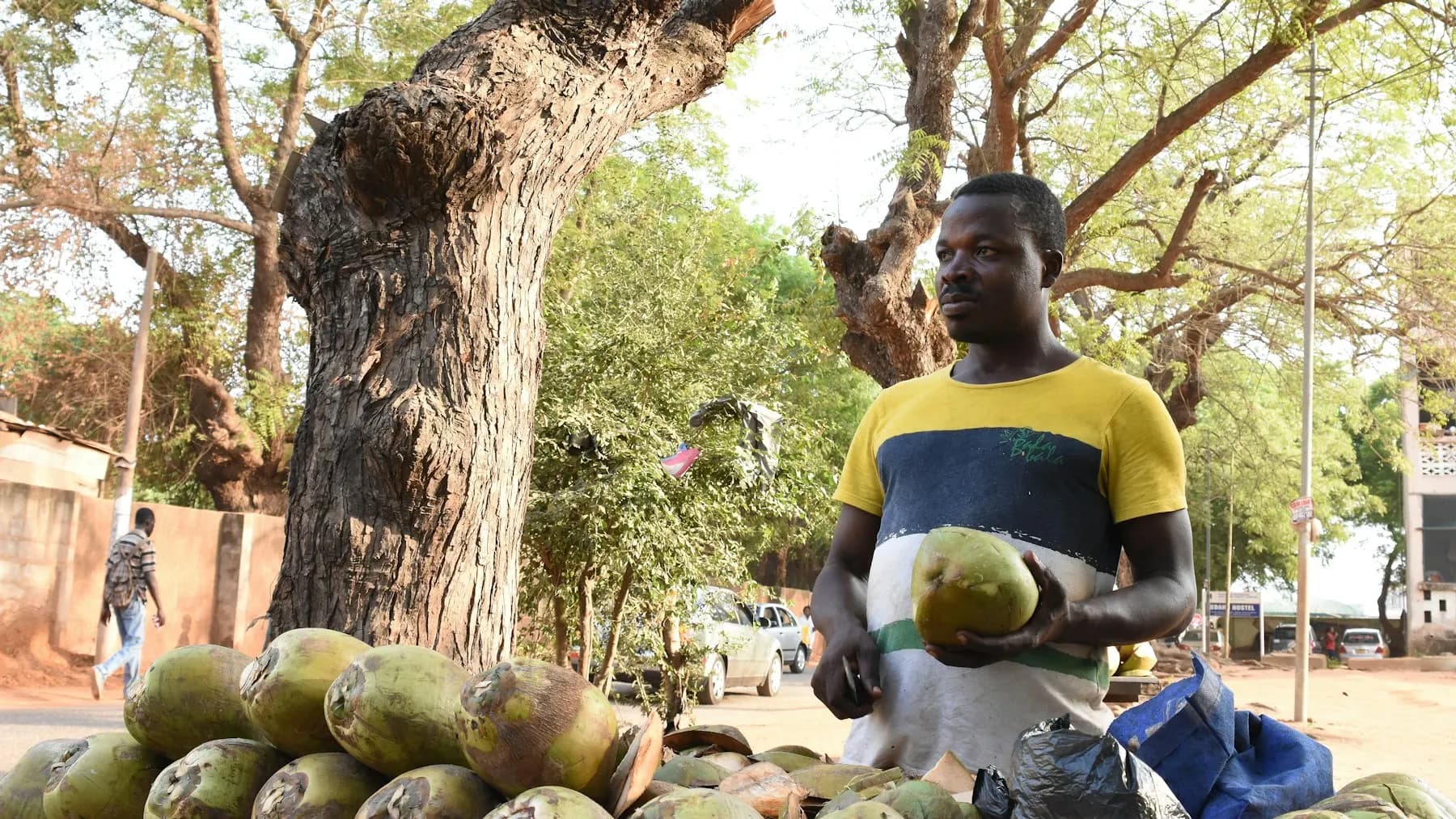
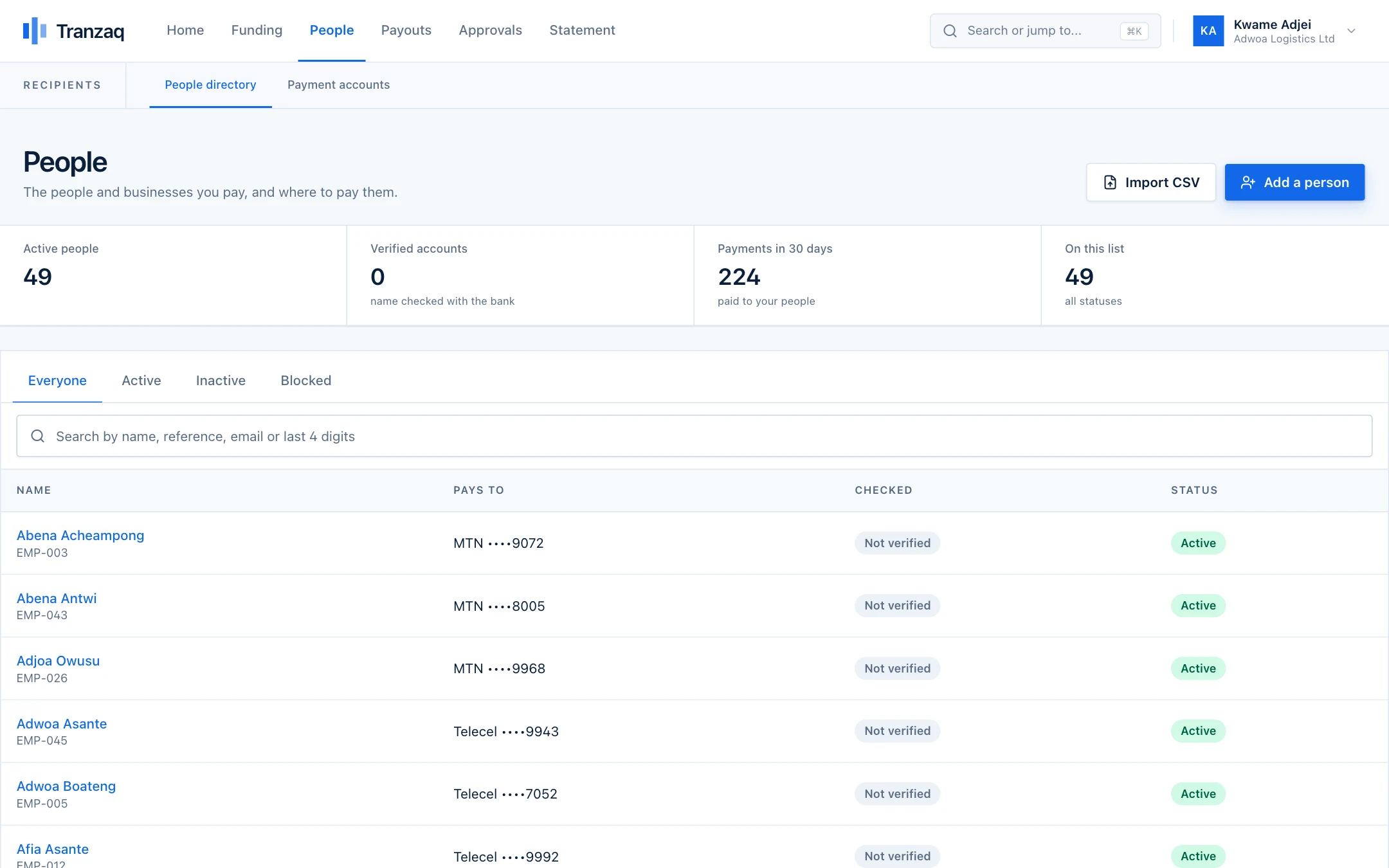
Most people are paid to a phone number. We start there.
Across Ghana, salaries, commissions and supplier payments go out to mobile money numbers and bank accounts, often one at a time from a phone. It is slow, and a single wrong digit sends money to a stranger.
- The name on every account is looked up before you pay it
- A wrong number or a duplicate is caught while you are still preparing
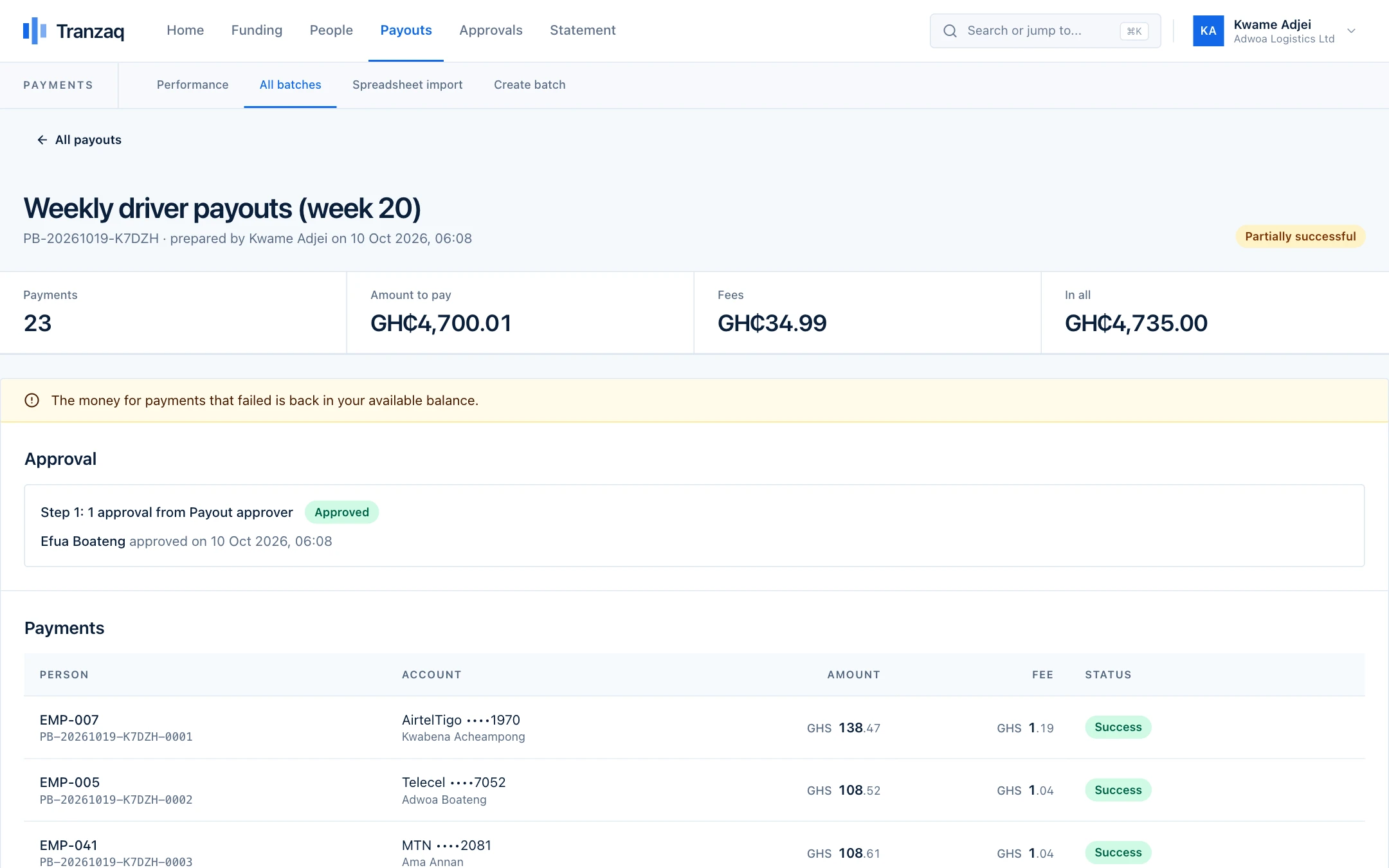
- Failed payments say why, and the money returns to your balance
- Every cedi in and out is on a statement you can download
Bulk payouts
Upload a sheet. We check every account.
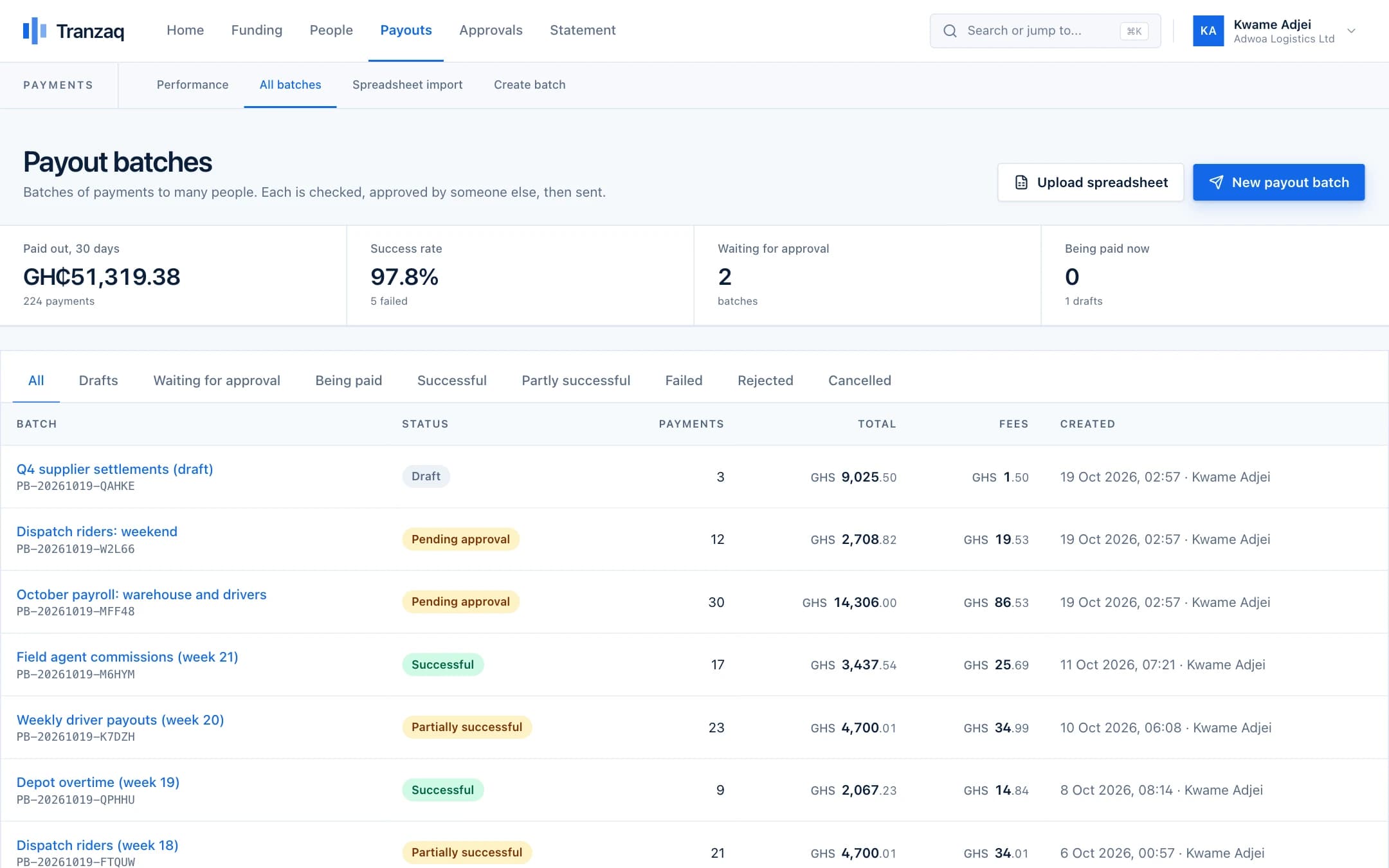
Download the Excel template, fill in phone or account numbers and amounts, and upload it. Tranzaq looks up the name on every account, builds the batch, and tells you what needs attention.
The Excel template has a dropdown of every bank and network, so there is nothing to memorise.
See how bulk payouts works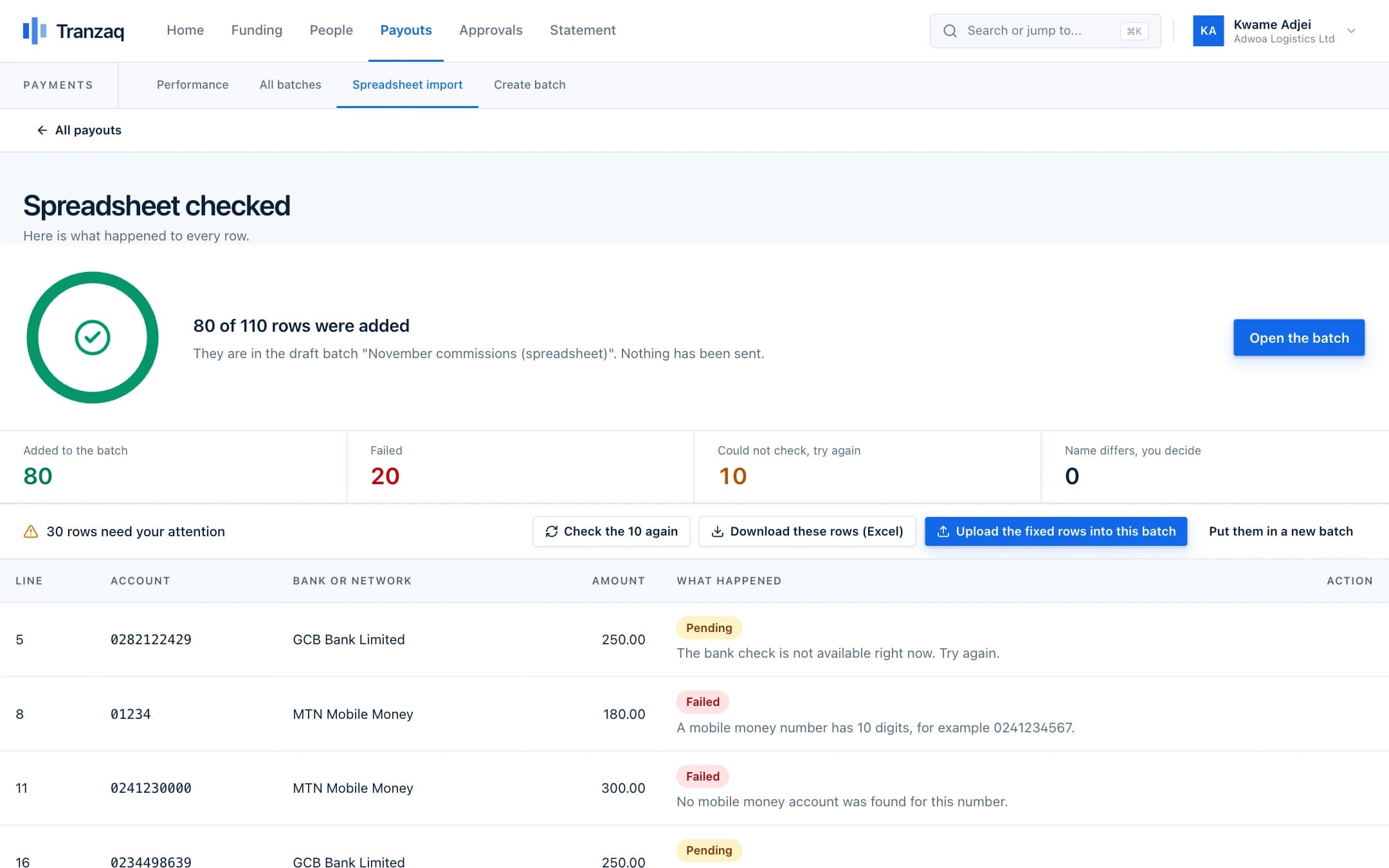
Approvals
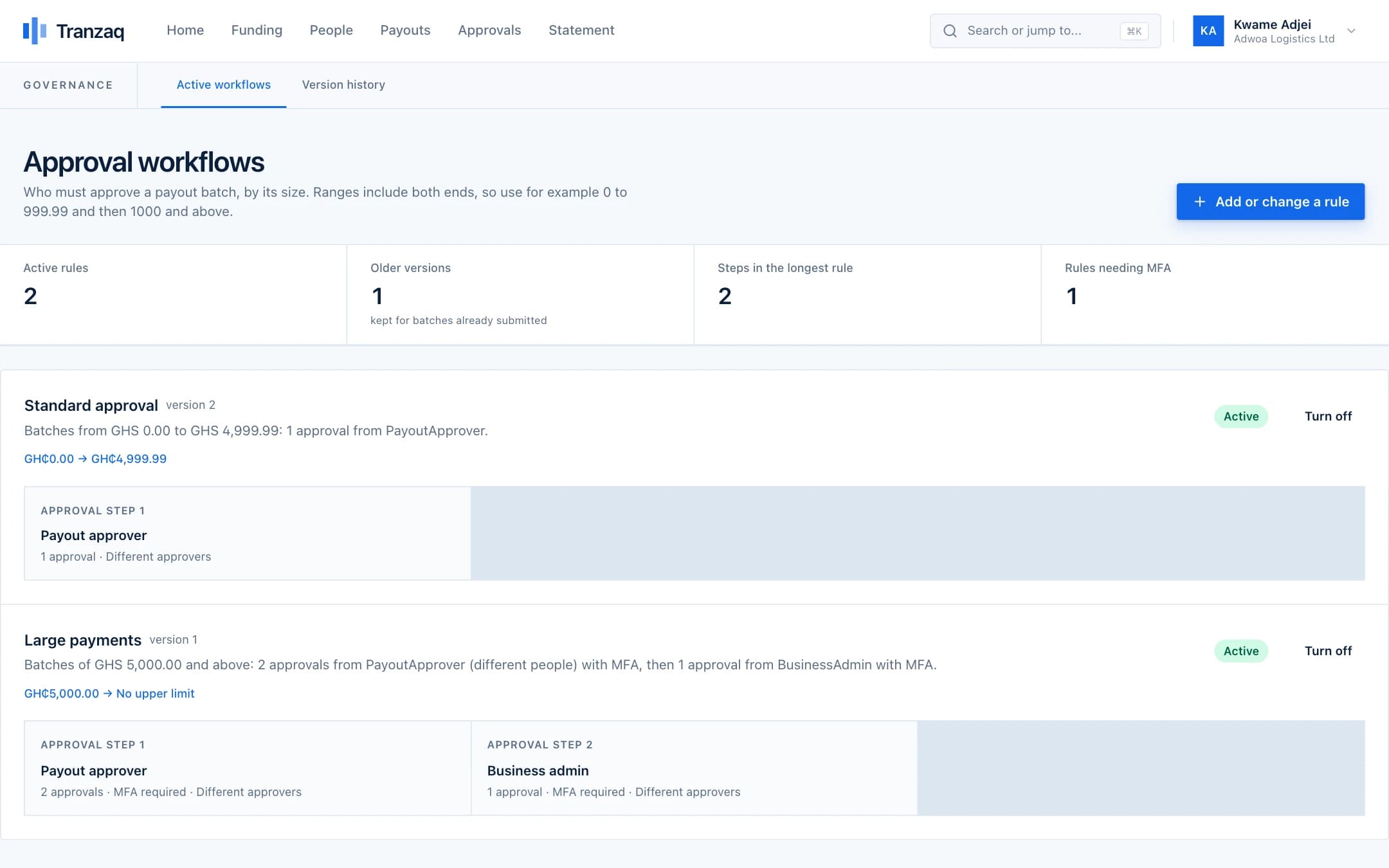
No single person can send money alone.
Whoever prepares a payout can never approve it. Set rules by amount: who must approve, how many people, and whether a one-time code is needed. Everything is recorded.
Rules by amount, with deadlines, so nothing waits forever.
See how approvals works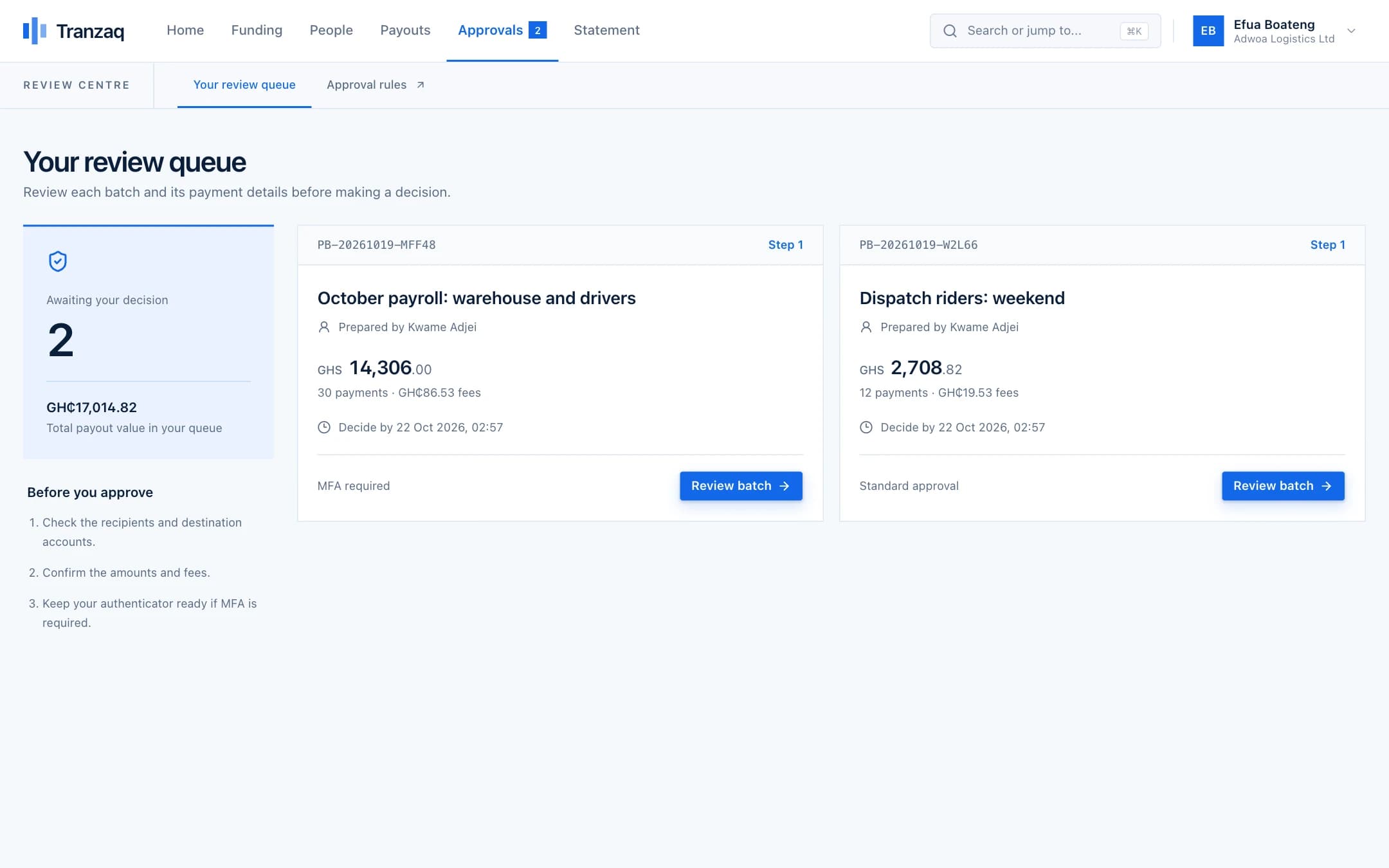
Statements and balances
Every cedi accounted for, line by line.
Your balance is added up from a double-entry ledger, never stored as a loose number. Download your statement any time and see what happened to every payment.
Download it any time and hand it to your accountant.
See how statements and balances works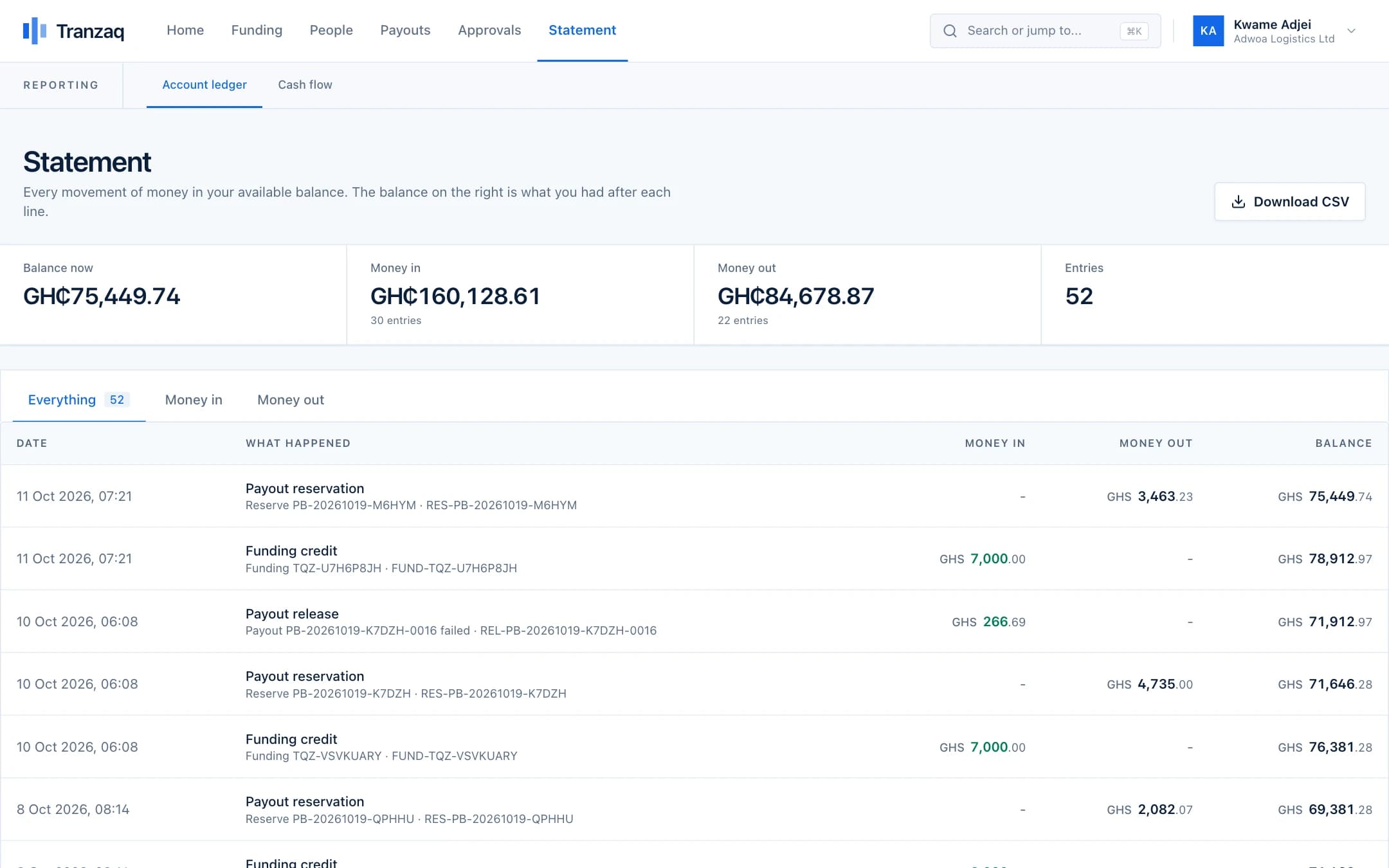


Take a look around
Every screen, built for people who pay people.
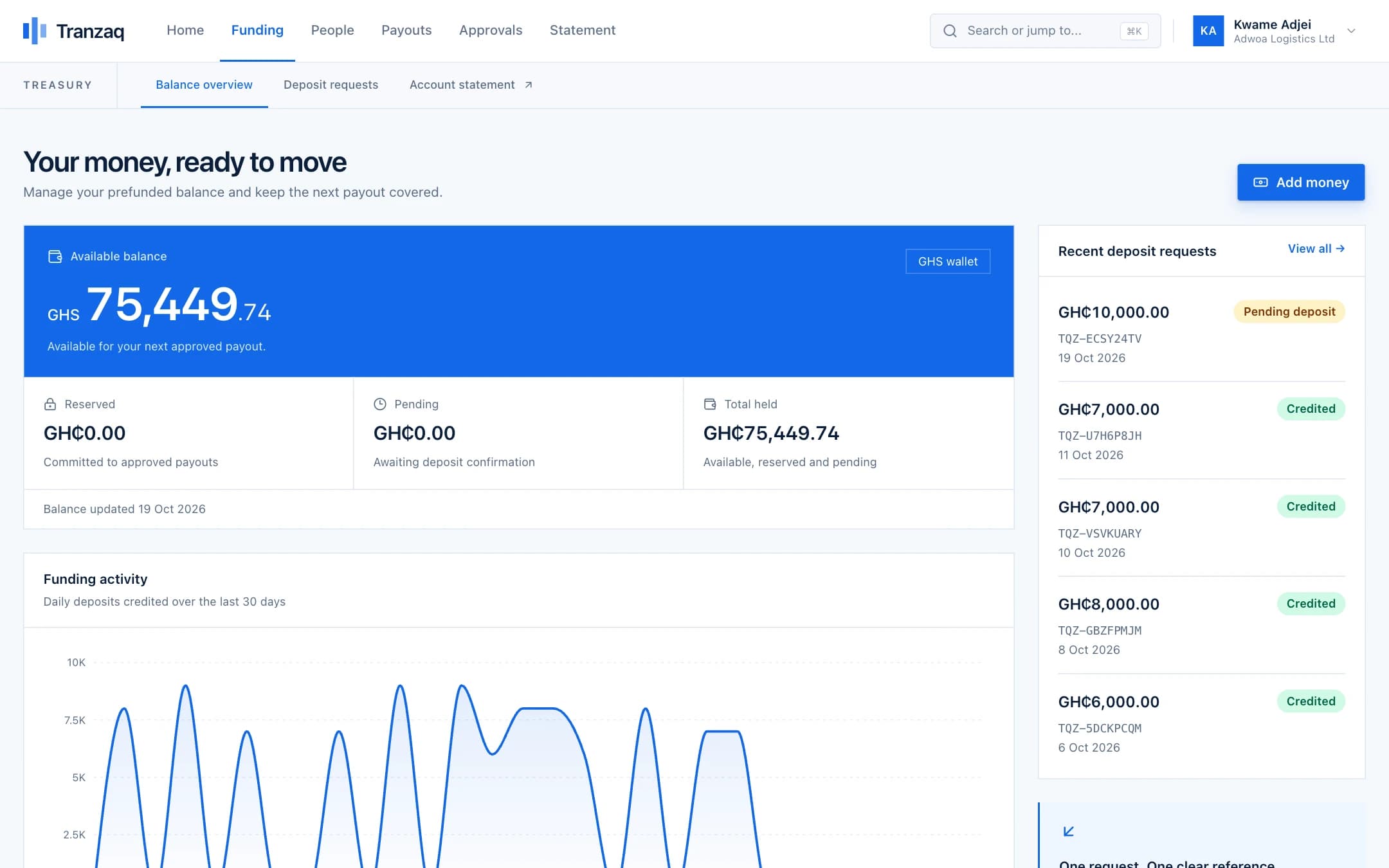
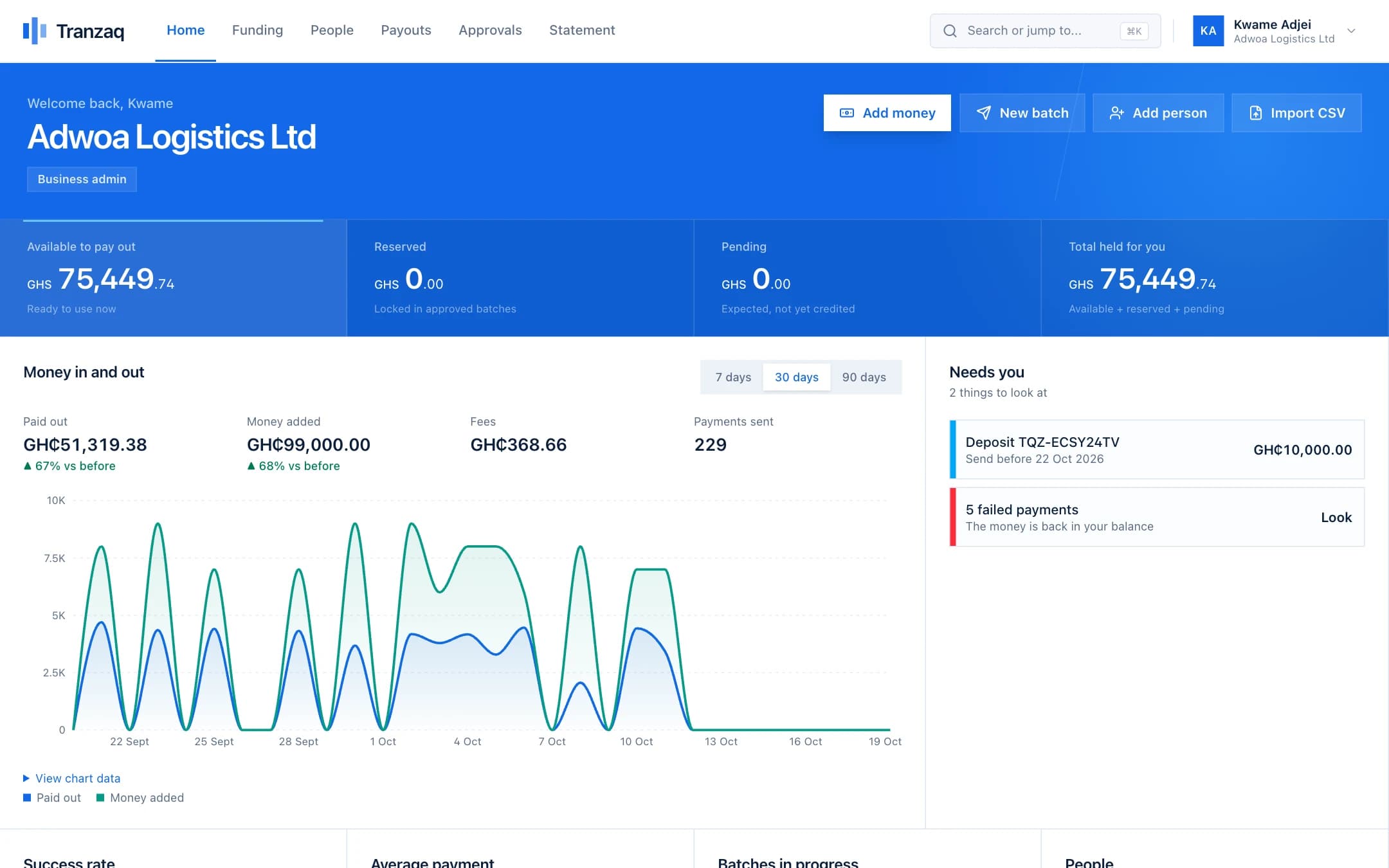
These are real screens from the product, with demo data.
Balances, money in and out, and everything that needs you, on one page.
Time you get back
See what a month of payouts costs you in hours.
Move the sliders to match your team. The numbers stay in your browser.
We assume about 10 minutes to upload, review and approve one batch. Your own numbers will differ; move the sliders to match your team.
Your month with Tranzaq
7.7hours back
- Payments a month
- 160
- Paid out a month
- GH₵144,000
- Every payment gets a name check, a second approver and a status
For developers
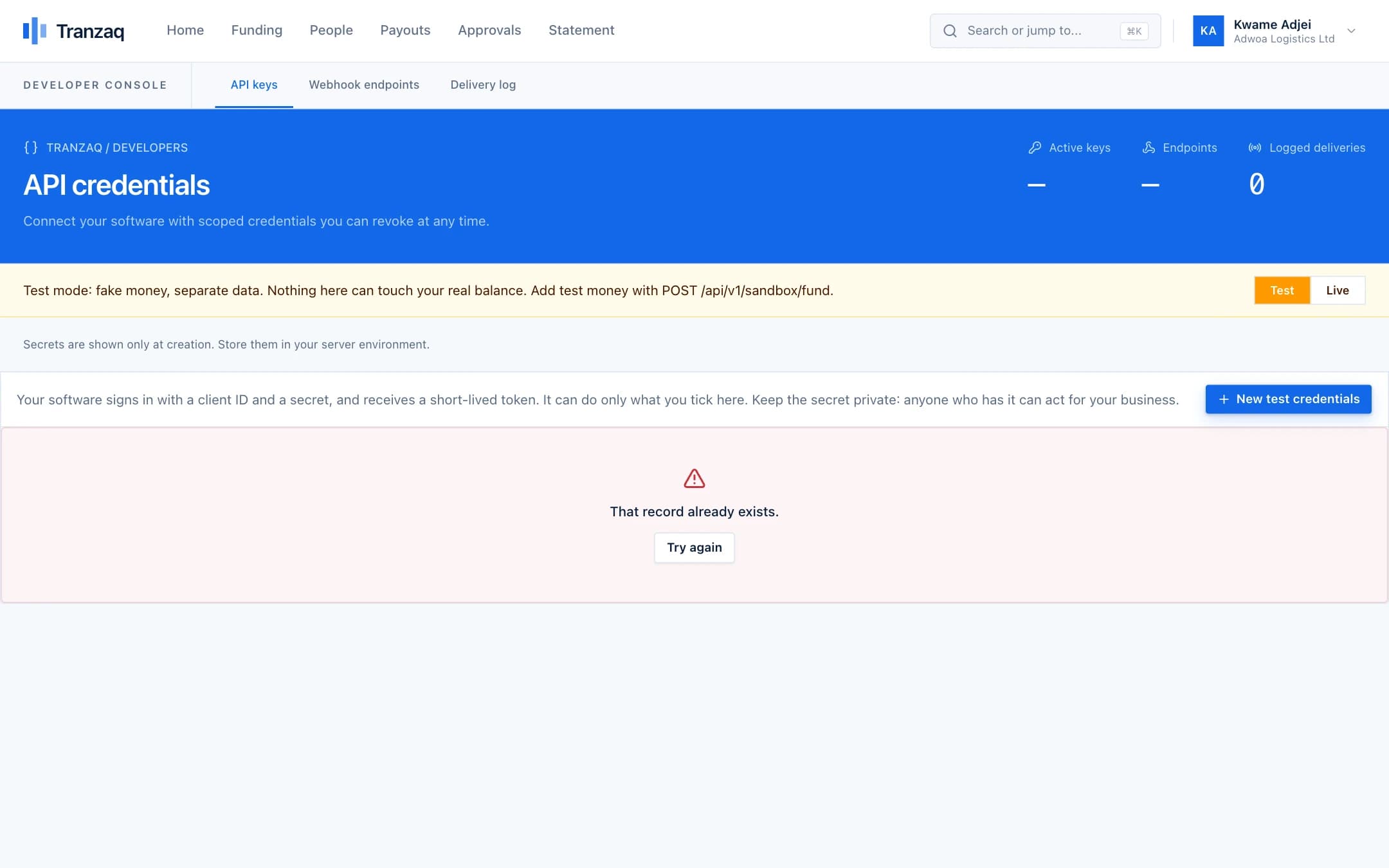
Connect your software with a small, stable API.
Sign in with OAuth, create payout batches, and get signed webhooks for every result. Try it with fake money first.
- OAuth 2.0 client credentials with scopes you can revoke at once
- Idempotency keys: a retry never pays twice
- Test mode on its own database, with fake money
- Signed webhooks, a delivery log and one-click resend
# 1. Trade your credentials for a token
curl -X POST https://api.tranzaq.com/oauth/token \
  -d grant_type=client_credentials \
  -d client_id=tqz_test_… -d client_secret=…

# 2. Create a batch (safe to retry)
curl -X POST https://api.tranzaq.com/api/v1/payout-batches \
  -H "Authorization: Bearer $TOKEN" \
  -H "Idempotency-Key: payroll-2026-10" \
  -H "Content-Type: application/json" \
  -d '{ "name": "October salaries",
        "items": [{ "beneficiaryId": "…", "amount": 1850.00 }] }'
const base = "https://api.tranzaq.com";
const tokenResponse = await fetch(`${base}/oauth/token`, {
method: "POST",
body: new URLSearchParams({
grant_type: "client_credentials",
client_id: process.env.TRANZAQ_CLIENT_ID,
client_secret: process.env.TRANZAQ_CLIENT_SECRET,
}),
});
const { access_token } = await tokenResponse.json();
const response = await fetch(`${base}/api/v1/payout-batches`, {
method: "POST",
headers: {
Authorization: `Bearer ${access_token}`,
"Idempotency-Key": "payroll-2026-10",
"Content-Type": "application/json",
},
body: JSON.stringify({
name: "October salaries",
items: [{ beneficiaryId: "…", amount: 1850.0 }],
}),
});
console.log(await response.json());using var http = new HttpClient { BaseAddress = new Uri("https://api.tranzaq.com") };
var tokenResponse = await http.PostAsync("/oauth/token", new FormUrlEncodedContent(new Dictionary<string, string>
{
["grant_type"] = "client_credentials",
["client_id"] = Environment.GetEnvironmentVariable("TRANZAQ_CLIENT_ID")!,
["client_secret"] = Environment.GetEnvironmentVariable("TRANZAQ_CLIENT_SECRET")!,
}));
var token = (await tokenResponse.Content.ReadFromJsonAsync<JsonElement>()).GetProperty("access_token").GetString();
var request = new HttpRequestMessage(HttpMethod.Post, "/api/v1/payout-batches")
{
Content = JsonContent.Create(new
{
name = "October salaries",
items = new[] { new { beneficiaryId = "…", amount = 1850.00m } },
}),
};
request.Headers.Authorization = new("Bearer", token);
request.Headers.Add("Idempotency-Key", "payroll-2026-10");
var response = await http.SendAsync(request);
Console.WriteLine(await response.Content.ReadAsStringAsync());import os
import requests
base = "https://api.tranzaq.com"
token = requests.post(f"{base}/oauth/token", data={
"grant_type": "client_credentials",
"client_id": os.environ["TRANZAQ_CLIENT_ID"],
"client_secret": os.environ["TRANZAQ_CLIENT_SECRET"],
}).json()["access_token"]
response = requests.post(
f"{base}/api/v1/payout-batches",
headers={"Authorization": f"Bearer {token}", "Idempotency-Key": "payroll-2026-10"},
json={"name": "October salaries", "items": [{"beneficiaryId": "…", "amount": 1850.00}]},
)
print(response.json())Everything in one place
Built for the people who run payouts.
From the finance lead to the developer, everyone gets what they need.
Funding
Add money the way your people already pay.
Explore 02Bulk payouts
Upload a sheet. We check every account.
Explore 03Approvals
No single person can send money alone.
Explore 04People and accounts
A trusted list of who you pay, and where.
Explore 05Statements and balances
Every cedi accounted for, line by line.
Explore 06Team and roles
The right access for everyone.
ExploreSecurity
Controls that protect money and data.
Safety is part of how payouts work, not a feature added later.
Two people for every payout
The person who prepares or submits a batch can never approve it. You set how many approvers each amount needs.
One-time codes for approvals
Approval steps can require an authenticator code, so a stolen password alone cannot release money.
Encrypted account numbers
Bank and mobile money numbers are encrypted when stored and shown masked, never in full.
Passwords and secrets are hashed
We store only a fingerprint of passwords and API secrets, so we cannot read them and a database leak cannot be used to sign in.
A double-entry ledger
Every movement of money is a balanced entry that is never edited or deleted. Balances are worked out from the entries, not stored.
Safe to retry
Payments and API calls carry idempotency keys, and our processing is built so a repeated message can never move money twice.
FAQ
Questions we hear most.
Cannot find your answer? Our team is happy to help.
Who is Tranzaq for?
Businesses and organisations in Ghana that pay many people: salaries, commissions, refunds, suppliers, stipends. If you currently pay people one at a time from a bank or mobile money app, Tranzaq is for you.
Which accounts can I pay?
Mobile money wallets on MTN, Telecel and AirtelTigo, and bank accounts at Ghanaian banks.
How do I add money?
Create a funding request and pay it with mobile money or bank transfer on a secure checkout page. When the payment is confirmed your available balance goes up.
How do you stop a wrong number being paid?
Before any money moves, we look up the name behind every account. In a spreadsheet upload, every row is checked, and rows that fail come back with the reason. If you also give the name you expect, we compare the two and flag a mismatch for a person to decide.
Can one person send money alone?
No. Whoever prepares or submits a payout can never approve it. You decide how many approvers each amount needs, and steps can require a one-time authenticator code.
What happens when a payment fails?
The money for that payment returns to your available balance, and the payment shows its failure reason. Temporary problems are retried automatically. You can fix failed rows from a spreadsheet and send them again.
Get started
Pay your people with confidence.
Create your business account and try everything in test mode today.