Use cases / Payroll
Pay your whole team on the day, without a queue at the bank.
Upload the month's salaries and send them to mobile money and bank accounts together, with finance approving before a cedi moves.

Sound familiar?
Paying staff one by one, from several apps, with the finance lead approving everything from a phone, is slow and easy to get wrong.
Payday takes a whole day
Someone opens a bank app or a mobile money app and sends salaries one at a time. The longer the list, the longer the day, and everyone else waits for their money.
One wrong digit, one wrong person
A single mistyped phone number sends a salary to a stranger. Getting it back means phone calls, embarrassment and sometimes a loss.
The person who pays is the person who decides
When the same person prepares the list and sends the money, nobody has really checked it. Auditors notice, and so do dishonest insiders.
No record you can hand over
Weeks later an employee says they were not paid, and the answer is scattered across phone messages, bank alerts and a spreadsheet nobody trusts.
How it looks in practice
An example payday
This is an illustration of how a month might run for a company with a few dozen staff. It is not a real customer.
- 1Finance
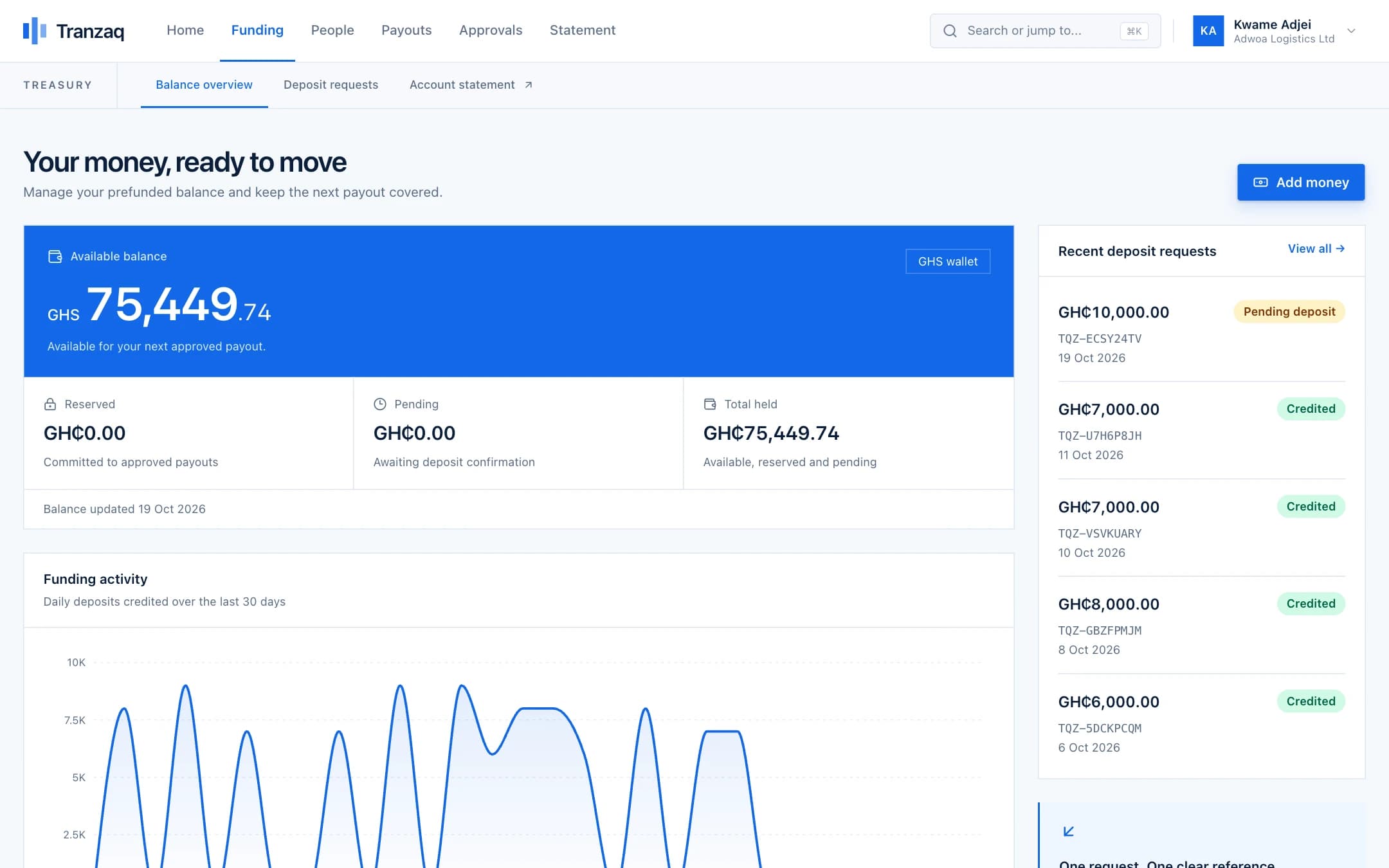
Money is in the balance before payday
The finance lead adds the month's payroll to the Tranzaq balance by mobile money or bank transfer. The payment is confirmed and credited once, and shows on the statement.
- 2HR
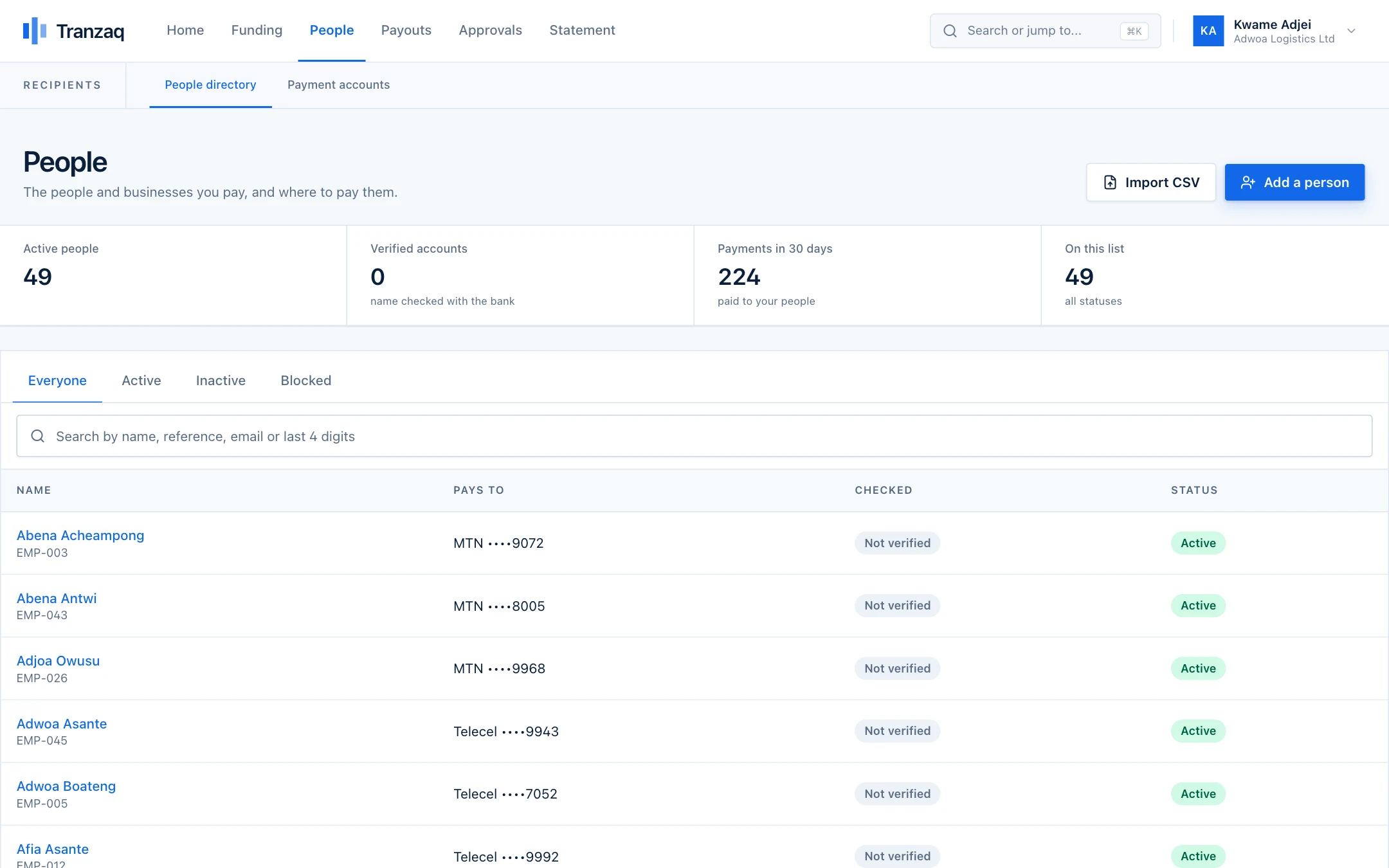
HR keeps the people list, not a chat history
Each employee is a person in Tranzaq with a payout account. The name behind every account is looked up, so a wrong number is noticed the day it is entered, not on payday.
- 3HR
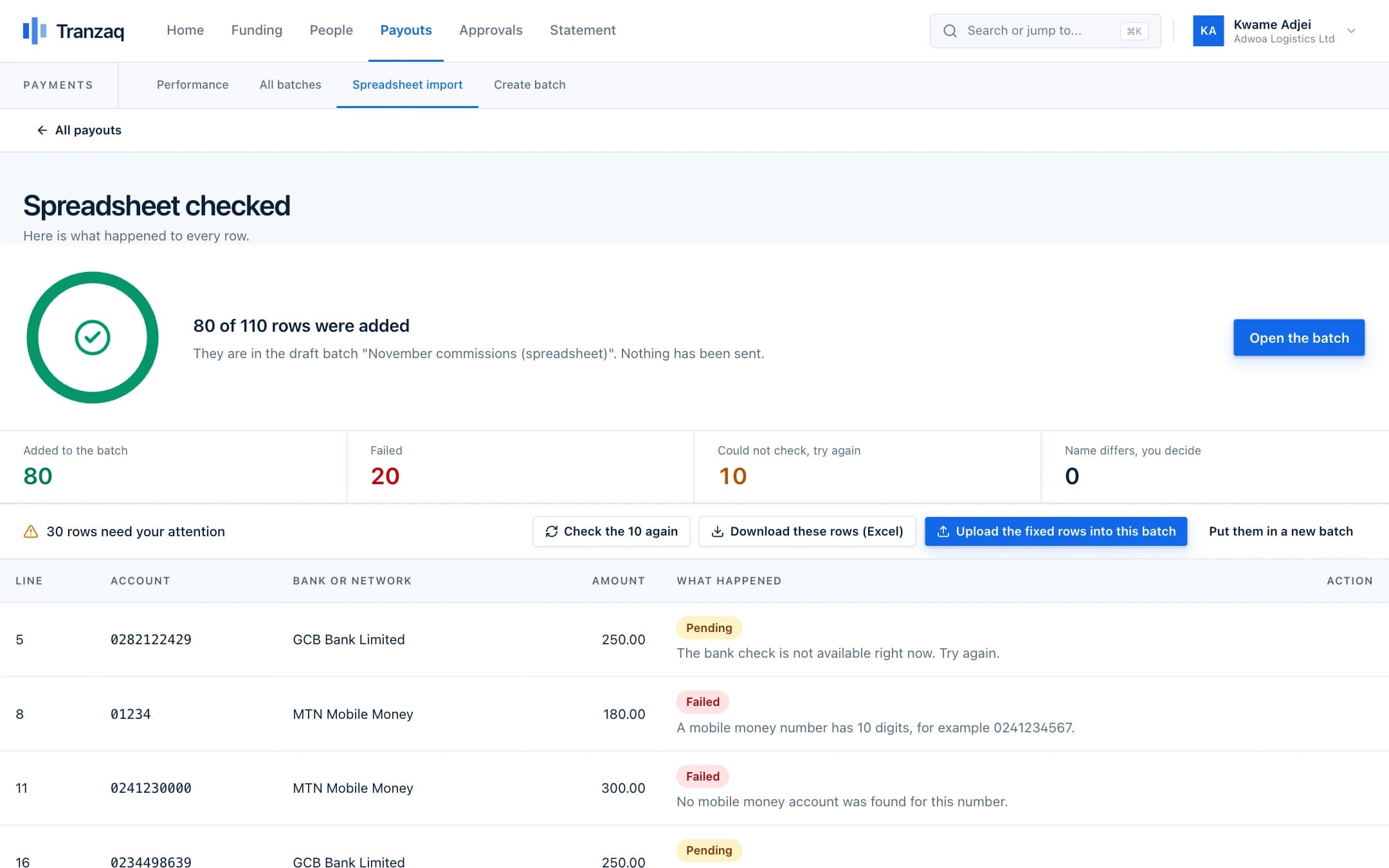
Payroll goes in as one Excel sheet
HR fills in the Tranzaq template, choosing banks and networks from a dropdown, and uploads it. Rows that are fine go into a draft batch. Rows with problems come back with the reason beside each one, ready to correct.
- 4Finance
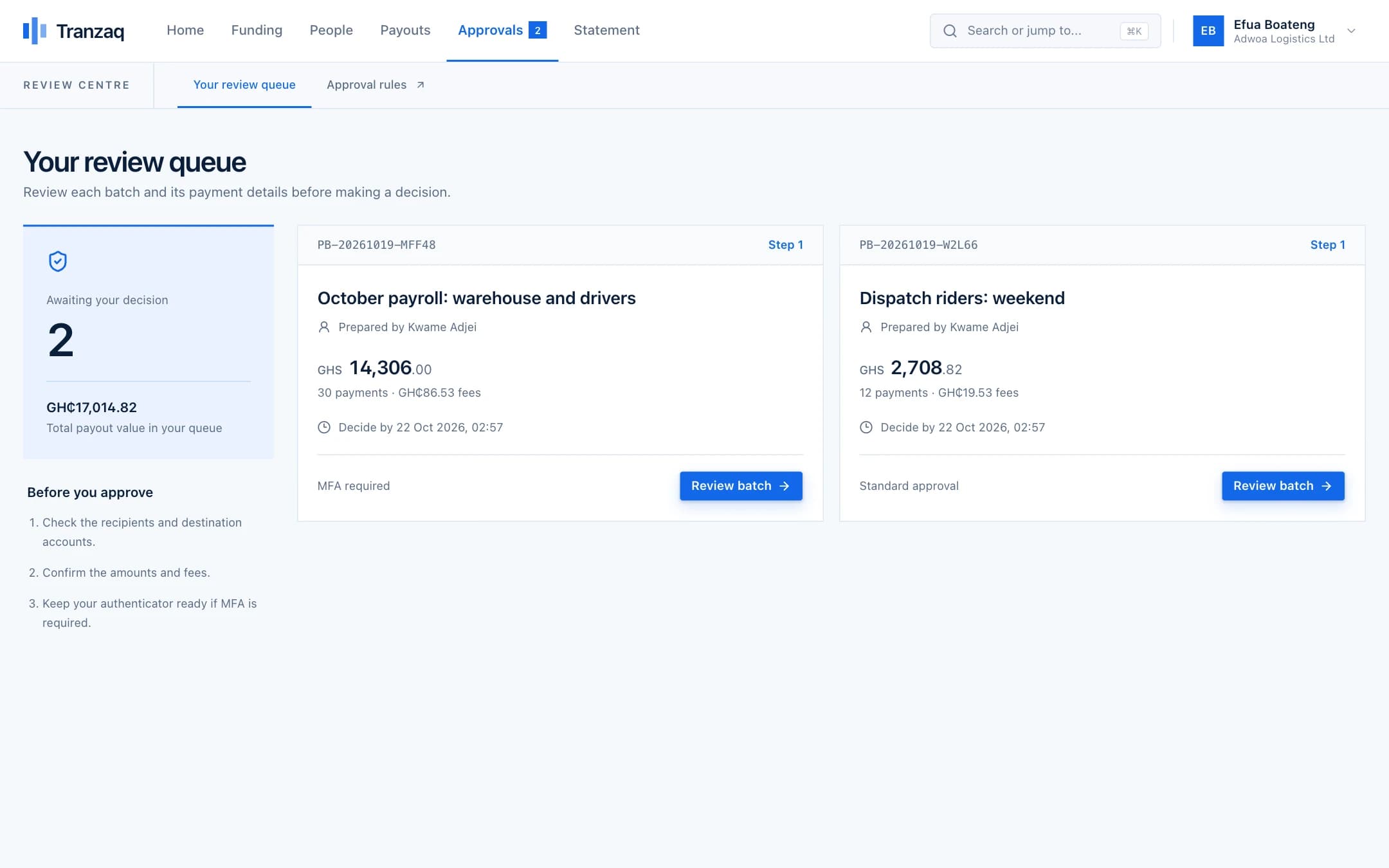
A second person approves
HR cannot approve its own batch. The finance lead sees the total, the fees and every payment, then approves. Larger totals can require two approvers and a one-time code from their authenticator app.
- 5Everyone
Everyone is paid, and you can see it
Payments go out to mobile money and banks together. Each one has a status. If one fails, the reason is shown and the money goes back to the balance, ready for a corrected payment.
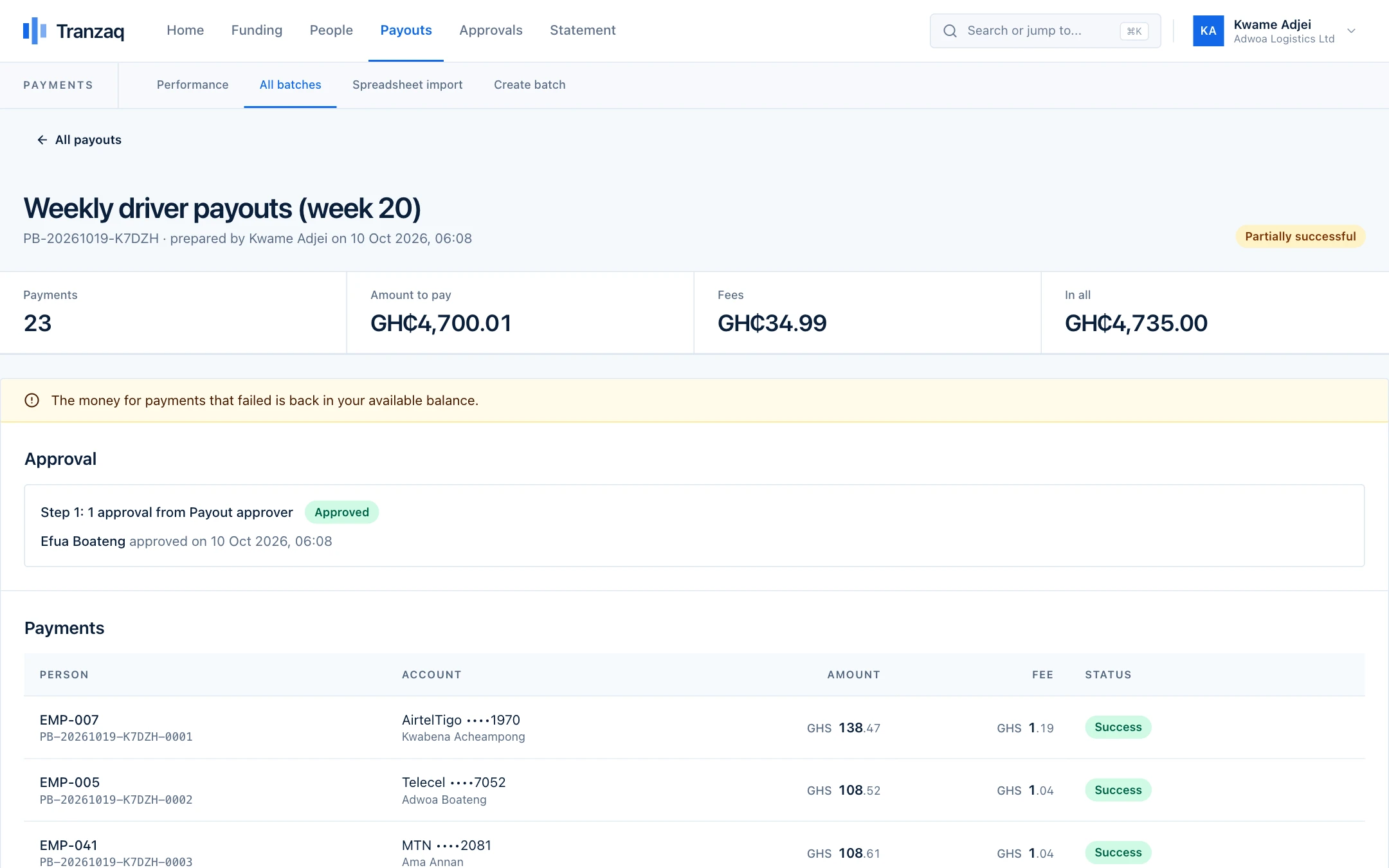
The people, figures and screens in this walkthrough are illustrations built from demo data. They are not real customers.
Before and after
What changes when payouts stop being a chore.
Who does what
Everyone has a clear part, and no one holds all the keys.
Roles decide who can prepare, who can approve and who can only look. You choose who has which.
HR or payroll officer
Keeps the people list, prepares the sheet and submits the batch. Cannot approve it.
Finance lead
Funds the balance, reviews the batch and approves it according to your rules.
Director or second approver
Added to the rules for large totals, with a one-time code before approving.
Accountant or auditor
Read-only access to statements and payment history, without the power to move money.
Built in, not bolted on
The protections that matter most for this.
These are part of how every payout works, not extras you switch on.
Approval rules by amount
A normal payroll needs one approver. A very large one can need two, including an administrator, each with a code.
Names checked before money moves
Where the name on an account is only partly like the name you gave, the row waits for a person to decide. A completely different name is refused.
Fees shown before you submit
You see the total fees on the batch before it is sent for approval, so finance never approves a surprise.
A complete trail
Who prepared the batch, who approved it and when, and every payment's outcome are kept and can be downloaded.
Practical questions
What people ask before they start.
Something not covered here? Ask us, and we will answer plainly.
Does Tranzaq work out salaries, tax or pension?
No. Bring the figures from your payroll process; Tranzaq pays them. Each payment is the amount you put on the sheet.
Can staff be paid to different networks and banks in one go?
Yes. One batch can include mobile money on different networks and bank accounts together.
What if someone's payment fails on payday?
It shows as failed with the reason, and the money returns to your available balance. Correct the details and pay that person in a new batch; everyone else has already been paid.
Do we have to type everyone in every month?
No. People are saved with their verified accounts. The sheet refers to them by their phone or account number, so the same sheet works month after month.
Can a small team use it too?
Yes. The rules are yours to set: a team of three can use one approver, and a larger company can add more.
Also on Tranzaq
The same flow, for other kinds of payout.
Marketplaces and platforms
Pay sellers and drivers as the work gets done.
Learn moreSchools and institutions
Refunds, stipends and supplier payments with a paper trail.
Learn moreNGOs and programmes
Get support to beneficiaries quickly, and prove it reached them.
Learn moreAgents and commissions
Pay your agents every week, accurately.
Learn moreGet started
Make payday the calm day of the month.
Create your account, add a few test people, and run a whole payroll in test mode first.