Use cases / Agents and commissions
Pay your agents every week, accurately.
Calculate commissions in your own system and send them in one batch, by sheet or by API, so your best agents are never kept waiting.

Sound familiar?
Late or wrong commission payments cost you the best agents.
Commissions are always late
Calculating them takes a day. Paying them takes another. By then agents have started asking, and the best ones have started looking elsewhere.
Every dispute starts with "I was not paid"
Without a clear record of what was sent, to which number, and when, you cannot answer an agent quickly and fairly.
A wrong number is a lost agent
A commission sent to the wrong person is hard to recover, and the agent who should have received it blames you.
It grows with your network
Ten agents can be paid by hand. A few hundred, across regions, cannot.
How it looks in practice
An example Friday payout
This is an illustration of how a distributor might pay its field agents each week. It is not a real customer.
- 1Sales operations
Calculate commissions in your own system
Tranzaq does not decide what an agent earns. Your system, or your spreadsheet, does. What you bring is a list of agents and amounts.
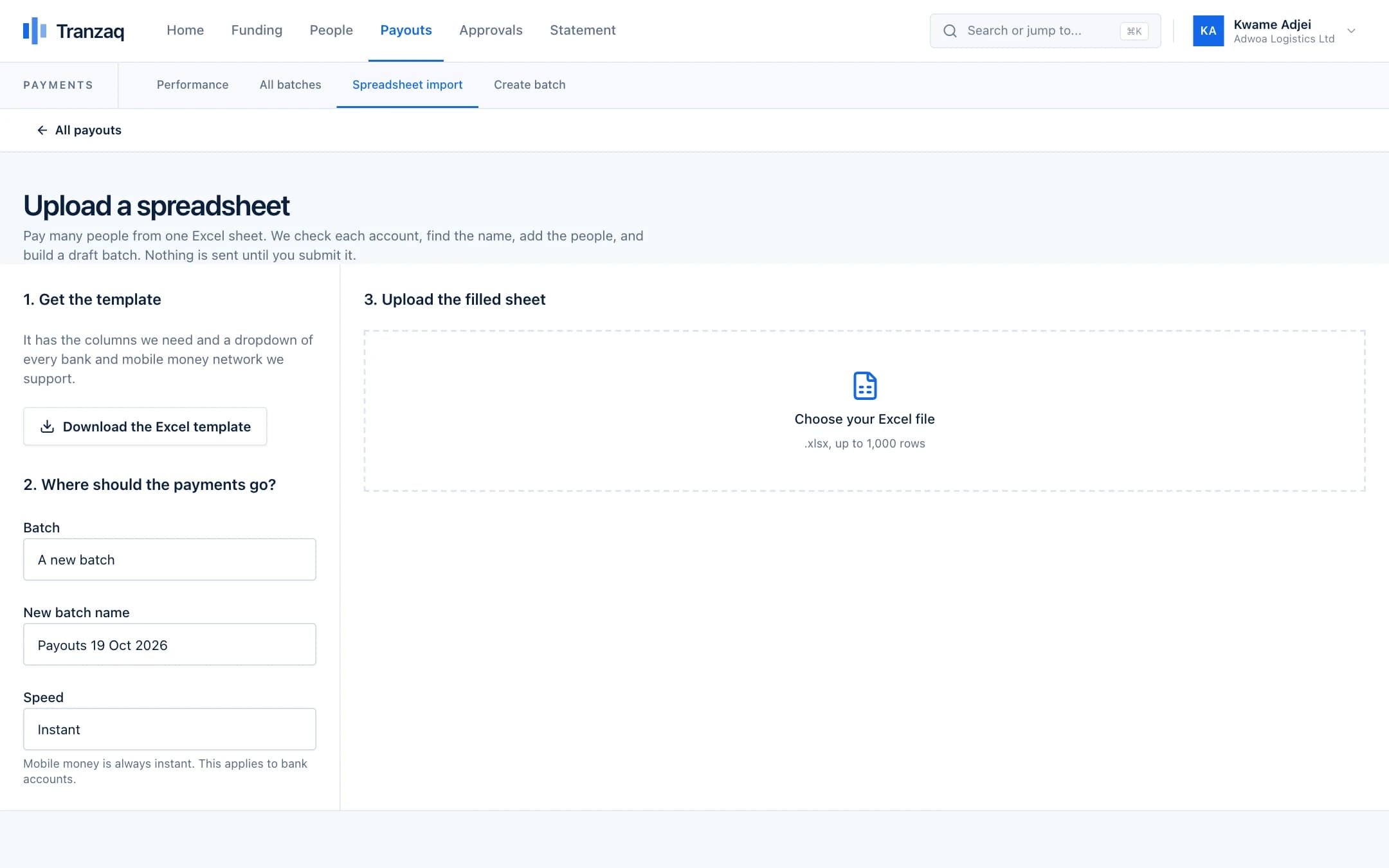
- 2Sales operations
Upload the list, or send it through the API
Upload the Excel sheet, or let your own software create the batch. Every account is checked as it goes in; wrong numbers come back with the reason.
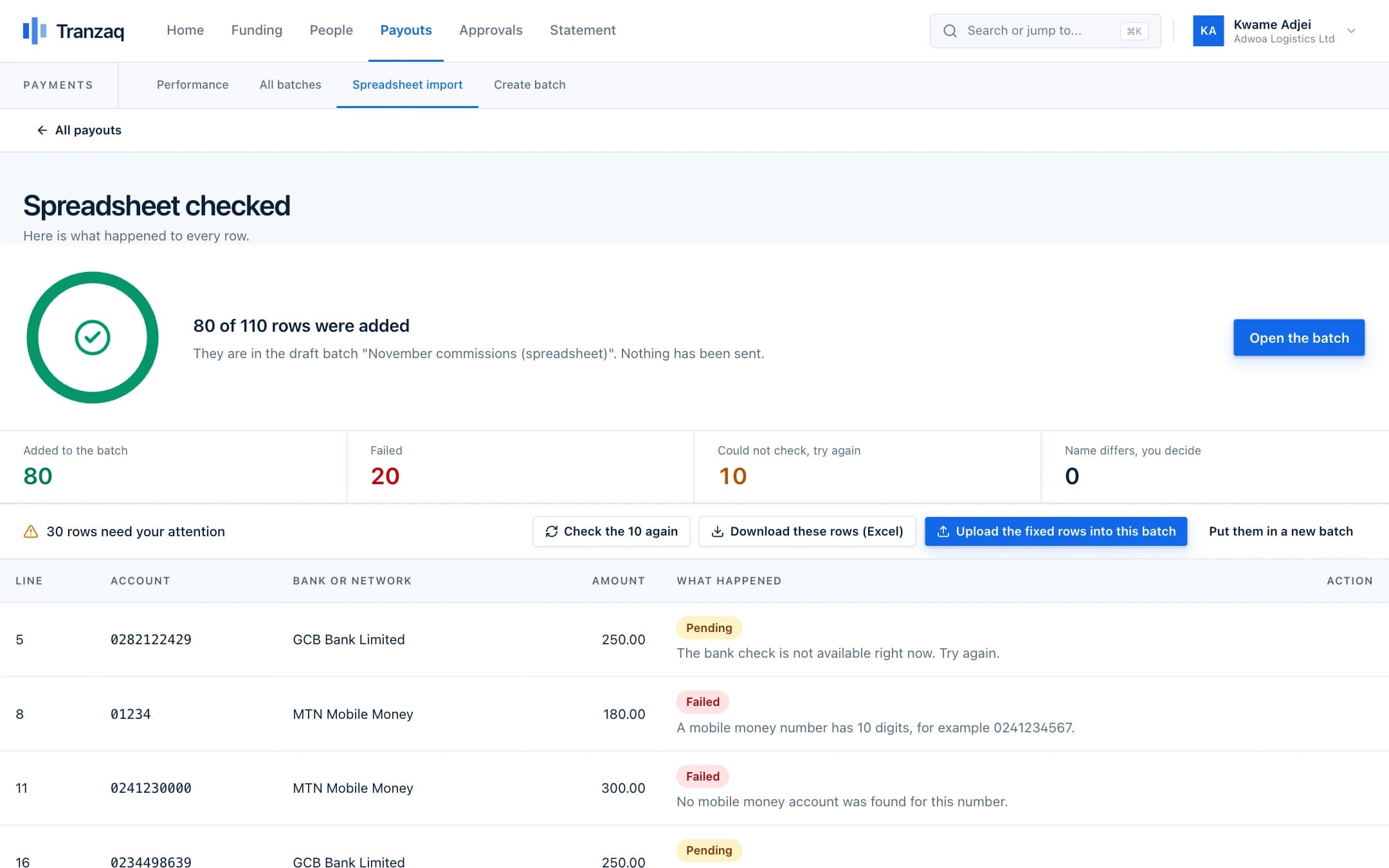
- 3Finance
Approve and send
Finance reviews the total and the fees, and approves. The payments go out to mobile money and banks together.
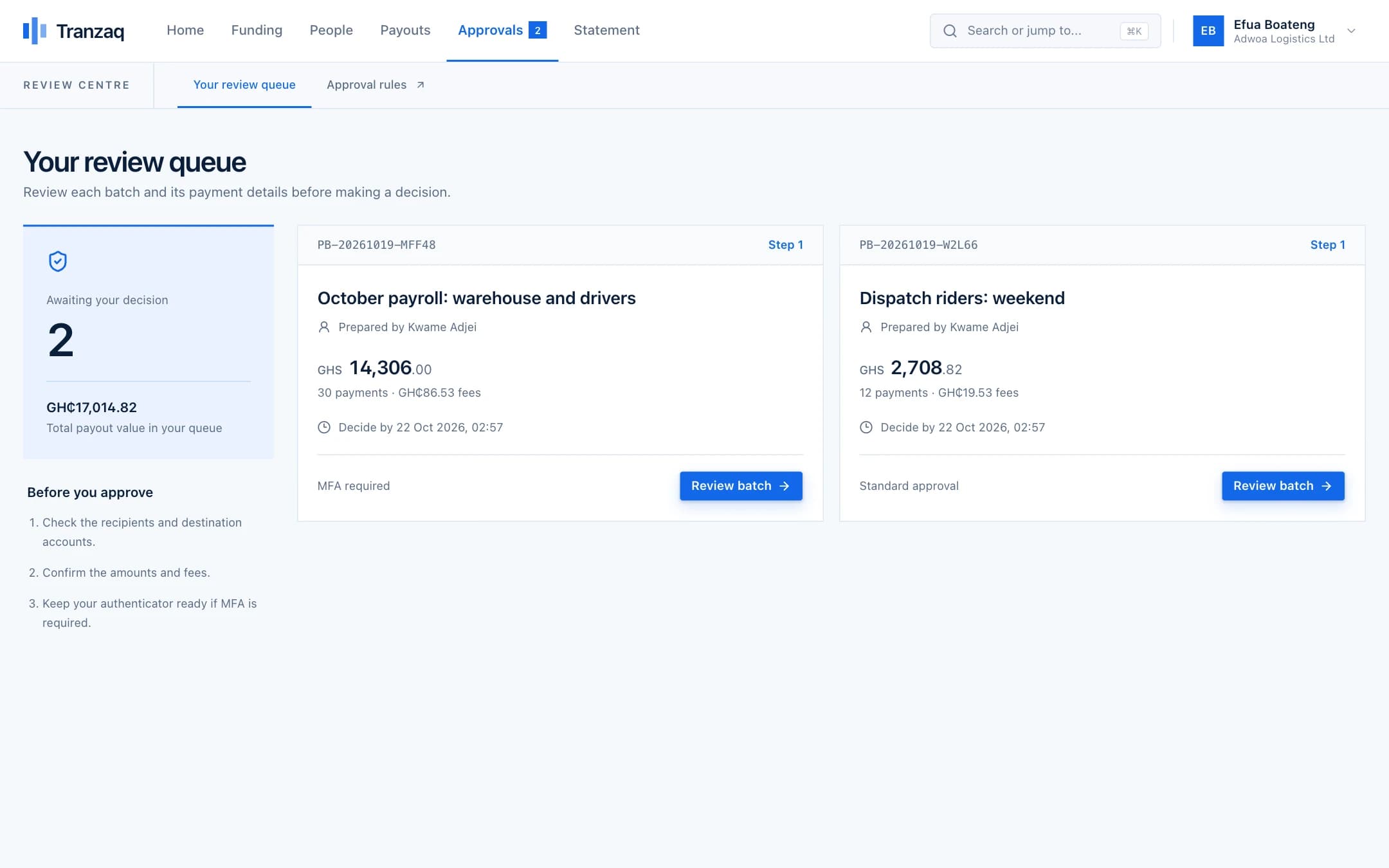
- 4Sales operations
Answer any agent in seconds
Every payment has a status and a reference. When an agent asks, you can show exactly what was sent and when, or the reason it did not arrive.
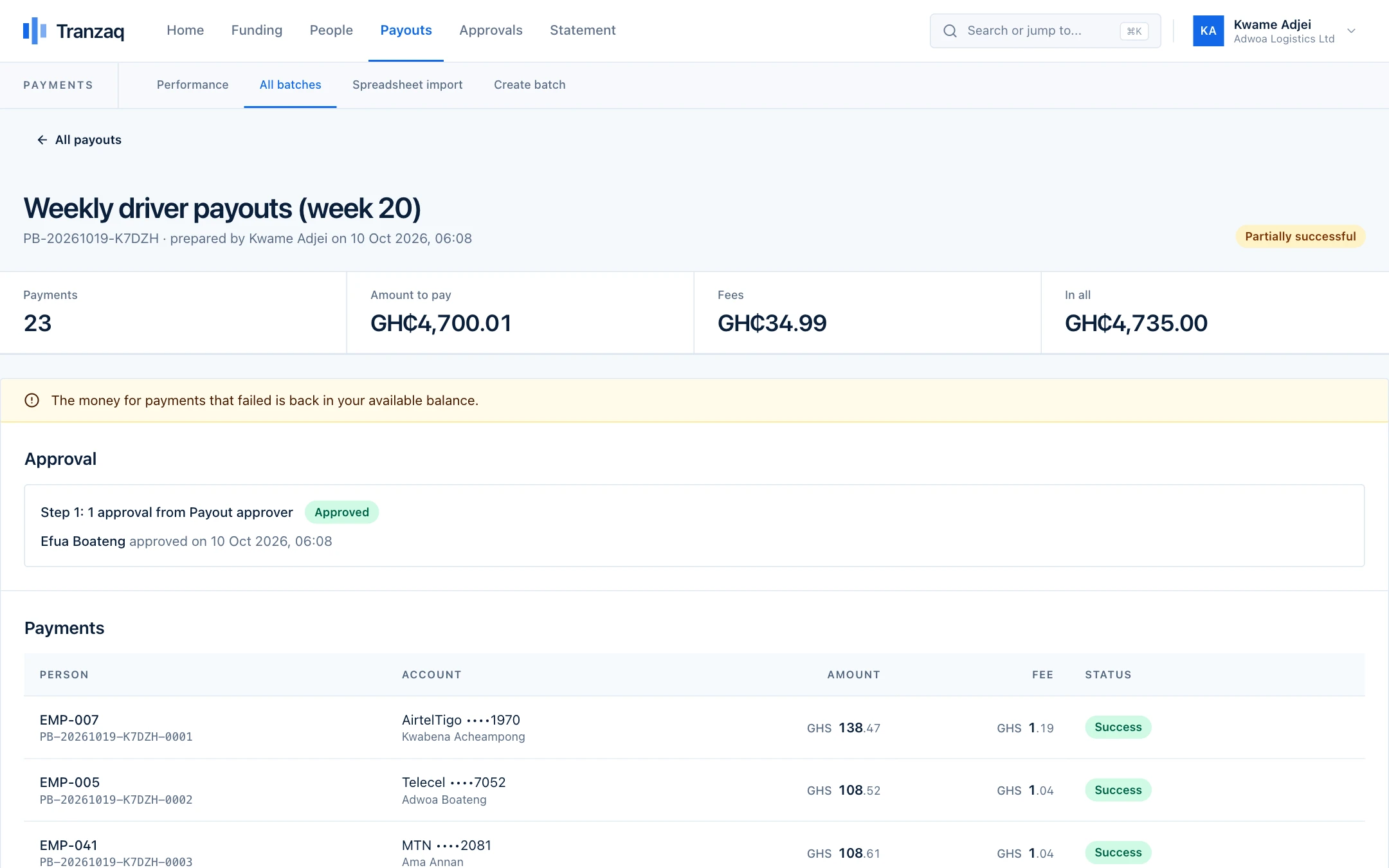
- 5Finance
Close the week with a statement
Every payment is on the statement with the running balance, so the week's commissions reconcile cleanly.
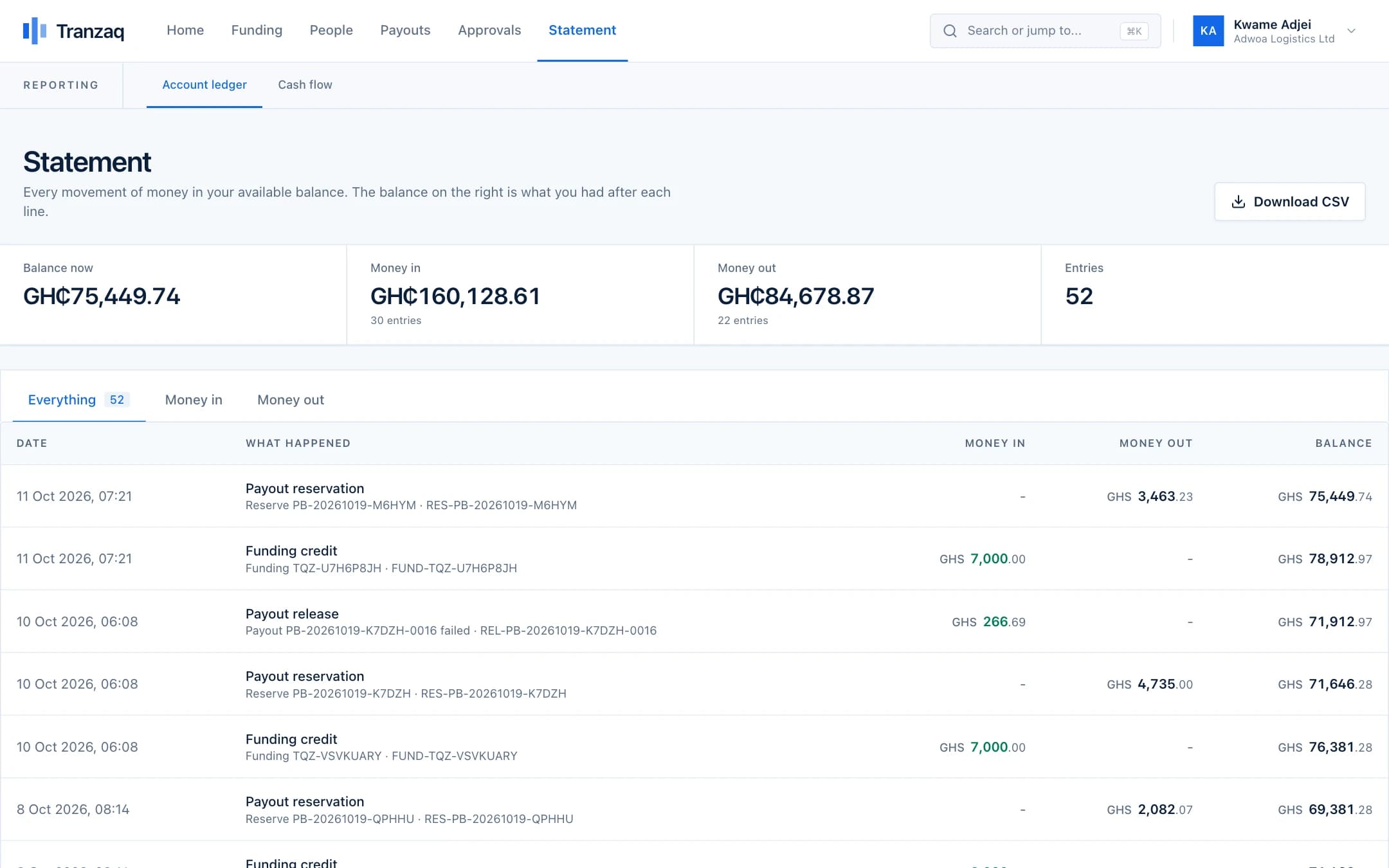
The people, figures and screens in this walkthrough are illustrations built from demo data. They are not real customers.
Before and after
What changes when payouts stop being a chore.
Who does what
Everyone has a clear part, and no one holds all the keys.
Roles decide who can prepare, who can approve and who can only look. You choose who has which.
Sales operations
Calculates commissions, prepares the batch and answers agents' questions from the payment status.
Finance
Funds the balance and approves each week's batch.
Regional manager
View-only access to see that their agents have been paid.
Developer
Connects your commission system to Tranzaq with the API, if you want it automatic.
Built in, not bolted on
The protections that matter most for this.
These are part of how every payout works, not extras you switch on.
Retries for temporary problems
If a bank or network is briefly unavailable, the payment is tried again. If it fails for good, the reason is shown.
Failed payments return to your balance
Money for a payment that did not arrive is back in your available balance, ready for a corrected payment.
Duplicate protection
The same account twice in one sheet is refused, and API requests carry idempotency keys.
A second person approves
Whoever prepares the commission batch cannot approve it.
Practical questions
What people ask before they start.
Something not covered here? Ask us, and we will answer plainly.
Can Tranzaq calculate commissions?
No. You calculate them in your own system, and Tranzaq pays them. That keeps your commission rules yours.
Can we pay weekly without uploading a sheet?
Yes. Connect your system through the API and it can create the batch for you. Approvals still follow your rules.
What happens if an agent's number is wrong?
The name on the account is looked up. If it does not match, the row is held or refused with a reason, before anyone is paid.
Can agents be paid to different networks?
Yes. One batch can include several mobile money networks and bank accounts.
How do we know a payment arrived?
Each payment shows Success, or Failed with the reason. With the API you also get a webhook for every result.
Also on Tranzaq
The same flow, for other kinds of payout.
Payroll
Pay your whole team on the day, without a queue at the bank.
Learn moreMarketplaces and platforms
Pay sellers and drivers as the work gets done.
Learn moreSchools and institutions
Refunds, stipends and supplier payments with a paper trail.
Learn moreNGOs and programmes
Get support to beneficiaries quickly, and prove it reached them.
Learn moreGet started
Never keep your best agents waiting again.
Upload this week's commissions in test mode and see every payment checked.